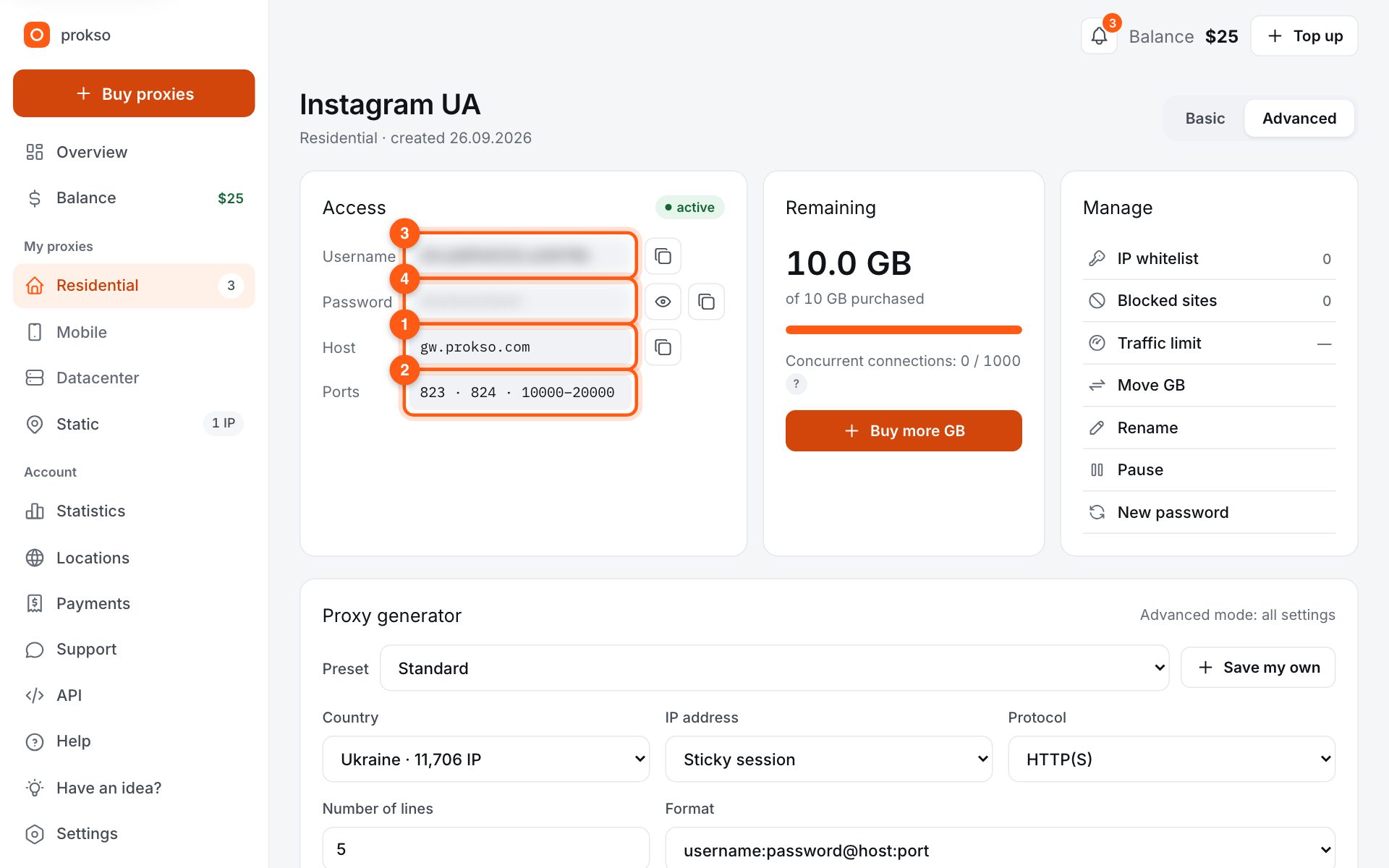
- Host
- gw.prokso.com
- Port
- 823 HTTP · 824 SOCKS5 — new IP per request · 10000–20000 sticky session, HTTP(S) and SOCKS5
- Username and password
- in your dashboard, on the plan page
Your dashboard generates ready-made lines in the format you need: choose the country, IP type and protocol.
- Host gw.prokso.com, ports 823 (HTTP), 824 (SOCKS5), 10000–20000 (sticky sessions, HTTP or SOCKS5)
- The username and password are in your dashboard on the plan page
- After setup, check your IP on the My IP page
A step-by-step guide to connecting Prokso proxies on macOS. It takes a few minutes.
Step 1. Get the proxy details from your dashboard
Open your plan and copy the host gw.prokso.com, port, username and password. Port 823 is HTTP and 824 is SOCKS5 (both give a new IP for every request); ports 10000–20000 keep one IP (sticky session) for up to 120 minutes and work as both HTTP and SOCKS5 (each port is a separate address). Set the country in the username: username__cr.ua.
Step 2. Open the network settings
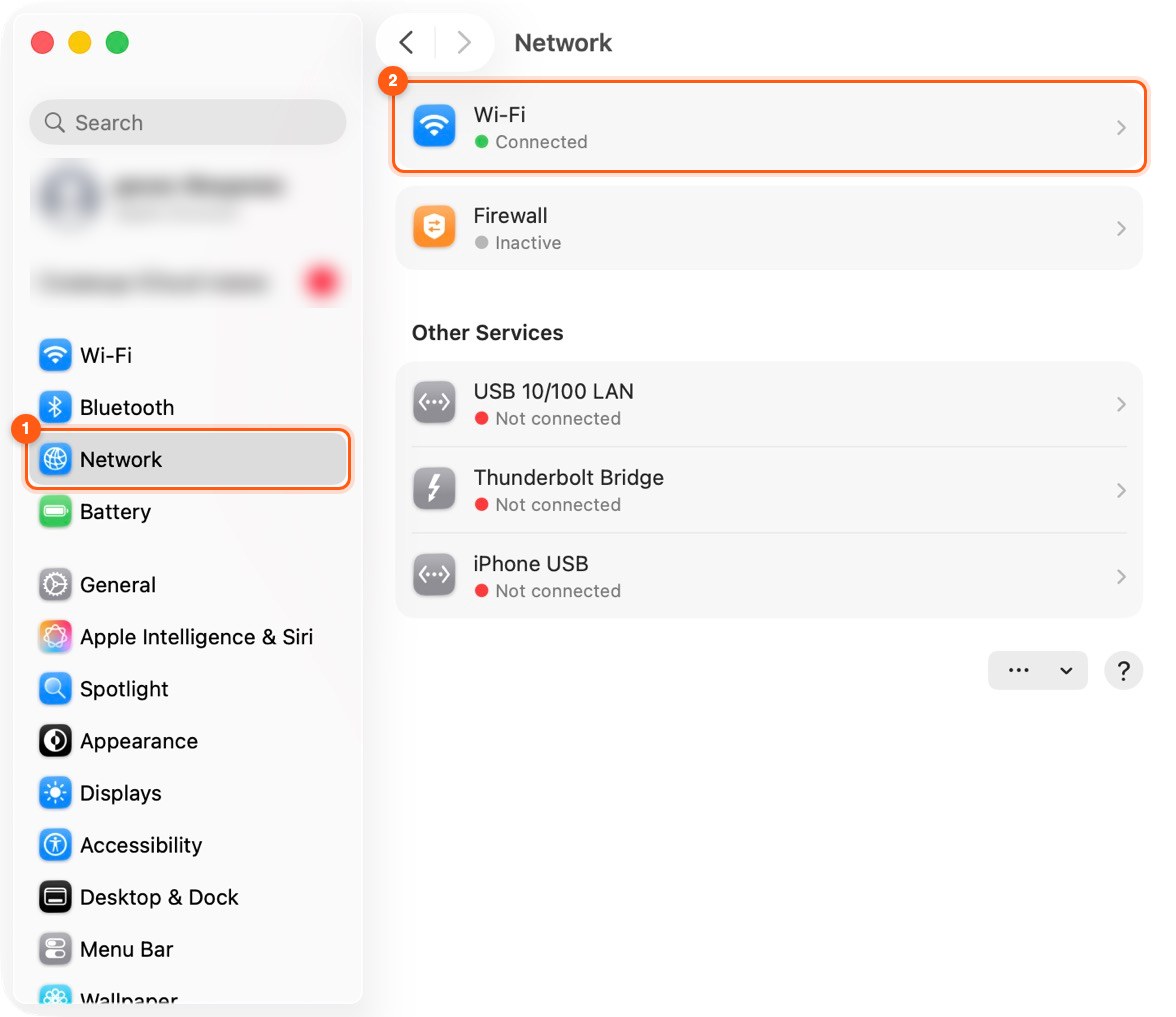
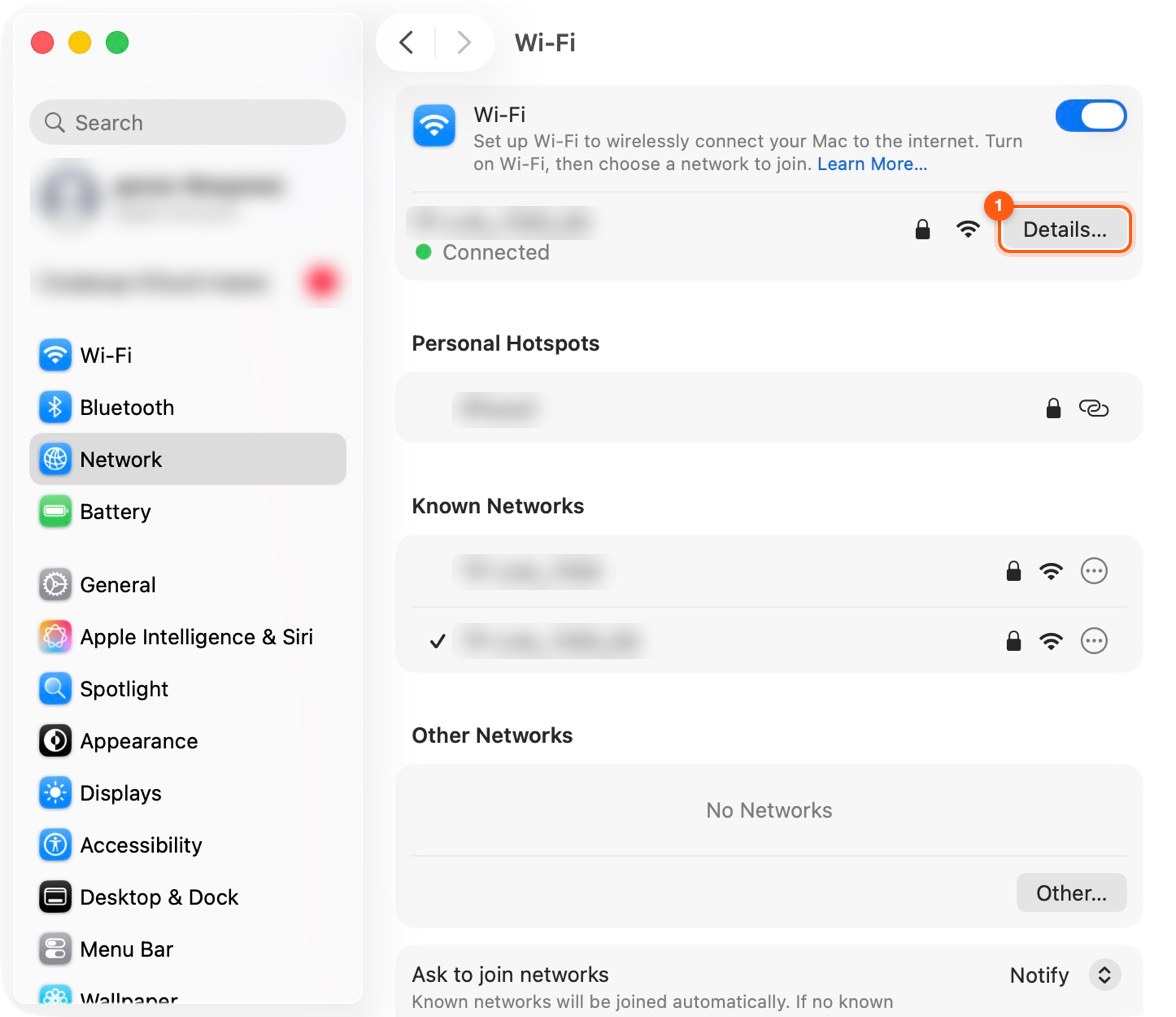
Open System Settings → Network, choose the connection (for example Wi-Fi) and click Details…
Step 3. Go to the Proxies tab
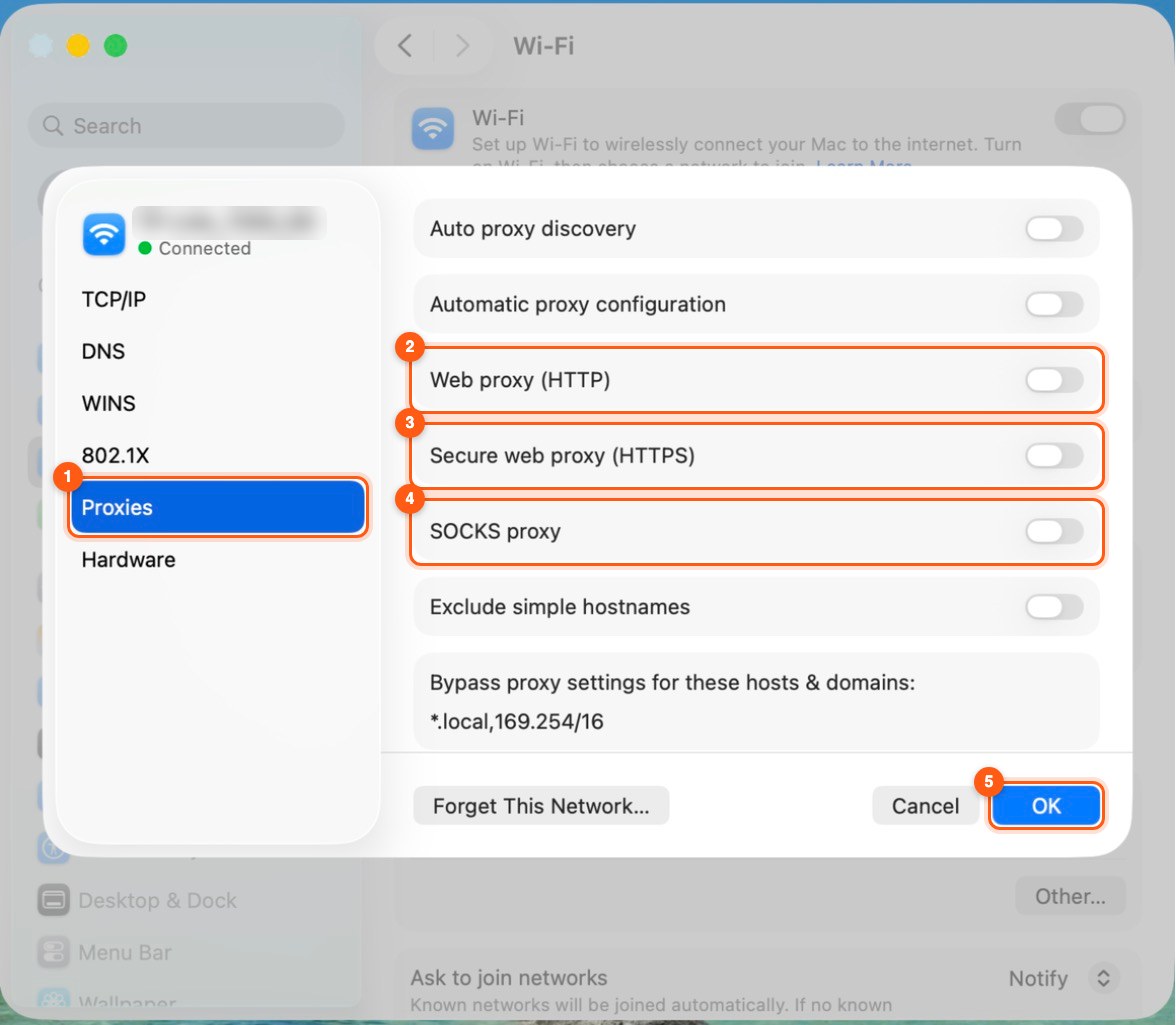
Open the Proxies tab and turn on Web proxy (HTTP) and Secure web proxy (HTTPS).
Step 4. Enter the server and password
For both enter server gw.prokso.com and port 823 (or a sticky 10000–20000 port for one IP), turn on Proxy server requires password and enter the username and password from your dashboard. For SOCKS5 there's a separate SOCKS proxy item: a sticky 10000–20000 port for one IP, or 824 for a new IP on every request.
Step 5. Save
Click OK. Safari and most apps go through the proxy right away.
Step 6. Check that it works
Open the My IP page: it should show the proxy's IP address and country, not yours. If the connection fails, double-check the port and protocol, and look up error codes on the Error codes page.
What the macOS system proxy applies to
The system proxy is used by Safari, Chrome, Mail, the App Store, and most programs with a graphical interface. The terminal does not use it: commands such as curl and git take the proxy from environment variables, not from the network settings.
The setting is stored separately for each connection: Wi-Fi, cable, personal hotspot. If you change the way you connect, the proxy has to be set again.
If the internet stopped working after you turned the proxy on
- Only one of the two options is filled in. The server, port, and password are needed both in "Web proxy (HTTP)" and in "Secure web proxy (HTTPS)".
- The protocol or a space ended up in the server field. Enter
gw.prokso.comwithouthttp://. - An old password in Keychain Access. After you change the plan password, macOS fills in the previous one. Delete the proxy entry in Keychain Access and enter the new one.
- A VPN is on. It intercepts traffic before the proxy does.
- The plan has run out of traffic. The remaining traffic is shown in your dashboard.
A proxy for the terminal
To make terminal commands go through the proxy, set the http_proxy and https_proxy variables in the same form as on Linux: an address with the username and password. Examples are in the guide for Linux and in the guide for curl.
What spends traffic in the background
While the proxy is on, iCloud syncing, update downloads, and background requests from programs go through it. Before a long session, pause syncing, and when you finish, clear the checkboxes for the proxy options.
FAQ
Why does Chrome on Mac use the proxy too?
Chrome uses the system settings. To keep the proxy inside the browser only, use the SwitchyOmega extension.
Can I set a proxy for just one program?
Not with macOS tools alone: the system proxy is shared. For per-program rules you need a proxy manager such as <a href="/en/guide/proxifier">Proxifier</a>, and for a browser an extension is enough.
How does "SOCKS proxy" in the settings differ from a web proxy?
A web proxy works with HTTP and HTTPS only, while a SOCKS proxy carries any TCP connections. For websites a web proxy is enough; the SOCKS option is useful for programs that work over other protocols.
How do I quickly turn the proxy off?
Clear the checkboxes for the enabled options on the Proxies tab and click "OK". The server and port will stay in the fields.