- Host
- gw.prokso.com
- Port
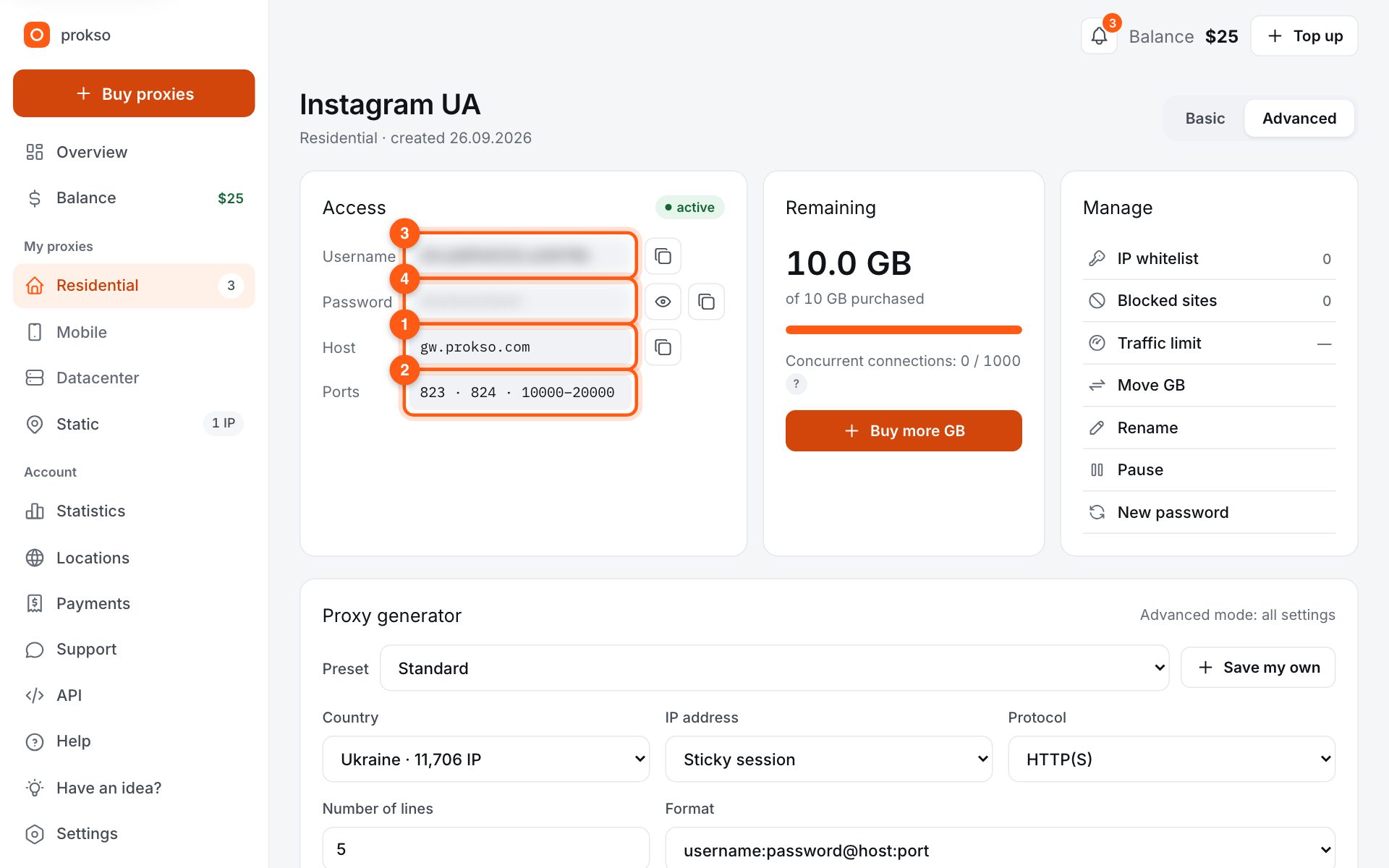
- 823 HTTP · 824 SOCKS5 — new IP per request · 10000–20000 sticky session, HTTP(S) and SOCKS5
- Username and password
- in your dashboard, on the plan page
Your dashboard generates ready-made lines in the format you need: choose the country, IP type and protocol.
- Host gw.prokso.com, ports 823 (HTTP), 824 (SOCKS5), 10000–20000 (sticky sessions, HTTP or SOCKS5)
- The username and password are in your dashboard on the plan page
- Check the IP in the response of the proxied request itself: the My IP page in a browser does not test your script
A step-by-step guide to connecting Prokso proxies in curl. It takes a few minutes.
Step 1. Get the proxy details from your dashboard
Open your plan and copy the host gw.prokso.com, port, username and password. Port 823 is HTTP and 824 is SOCKS5 (both give a new IP for every request); ports 10000–20000 keep one IP (sticky session) for up to 120 minutes and work as both HTTP and SOCKS5 (each port is a separate address). Set the country in the username: username__cr.ua.
Step 2. HTTP proxy in one line
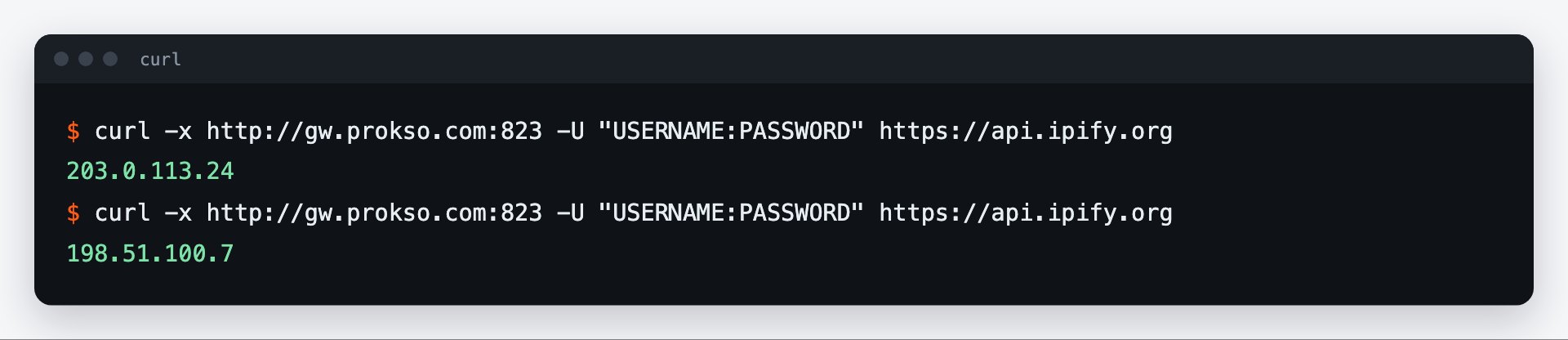
The -x flag sets the proxy and -U the username and password. Use quotes: if the username carries parameters like USERNAME__cr.ua or a semicolon, the shell will break it without them.
curl -x http://gw.prokso.com:823 -U "USERNAME:PASSWORD" https://api.ipify.orgStep 3. SOCKS5
For SOCKS5 use the socks5h:// scheme and port 824 (a new IP for every request) or a sticky 10000–20000 port, which works with SOCKS5 too. The h means the proxy resolves the site's domain name, not your computer, so DNS lookups don't leave from your IP either.
curl -x socks5h://gw.prokso.com:824 -U "USERNAME:PASSWORD" https://api.ipify.orgStep 4. Environment variables
To avoid typing -x every time, set variables. For HTTP curl only reads lowercase http_proxy; for HTTPS either https_proxy or HTTPS_PROXY works. List addresses that should go direct in NO_PROXY.
export http_proxy="http://USERNAME:PASSWORD@gw.prokso.com:823"
export https_proxy="$http_proxy"
export NO_PROXY="localhost,127.0.0.1"
curl https://api.ipify.org
Step 5. Check the IP in the response
Run any command from the examples: https://api.ipify.org returns the IP the request came from, which should be the proxy's, not yours. Your browser doesn't use these settings, so check in the terminal.
Useful flags when working through a proxy
--max-time 30: an overall time limit. Without it, a hung request hangs forever.--connect-timeout 10: a separate limit for connecting to the proxy.--retry 3 --retry-delay 2: a retry on temporary failures; on port 823 every retry goes out from a new IP.--compressed: request a compressed response, which means less traffic for the same content.-I: headers only. Handy for checking whether a site responds without downloading the page.-s -o /dev/null -w "%{http_code}\n": print only the response code.
Country and session in the username
The proxy parameters are written in the username. The country is USERNAME__cr.de. The easiest way is to build the username you need in the generator in your dashboard and copy it from there. The quotes around the username are required: without them the shell will interpret the special characters in its own way.
# exit IP in Germany, a new address for every request
curl -x http://gw.prokso.com:823 -U "USERNAME__cr.de:PASSWORD" https://prokso.com/ip

# the same IP for a series of commands: a sticky port
curl -x http://gw.prokso.com:10001 -U "USERNAME__cr.de:PASSWORD" https://prokso.com/ip
What curl errors mean
- (5) Could not resolve proxy. There is a typo in the proxy host name.
- (7) Failed to connect. The proxy is not reachable on this port: check the port and whether it is blocked on your network.
- (56) CONNECT tunnel failed, response 407. The username and password are wrong or the plan has run out of traffic.
- (28) Operation timed out. The response did not arrive in time: increase
--max-timeor retry the request. - (97) or a SOCKS negotiation failure. The scheme does not fit the port: 823 is HTTP only, 824 is SOCKS5 only.
The response codes of the site itself are covered on the proxy error codes page.
FAQ
How do I see that the request really goes through the proxy?
Add <code>-v</code>: the output shows the connection to <code>gw.prokso.com</code> and, for HTTPS, a CONNECT request to the site.
Why does curl ignore uppercase HTTP_PROXY?
It's a deliberate security restriction in curl. For HTTP use only lowercase <code>http_proxy</code>.
How does curl work with a proxy on Windows?
The same way. In PowerShell the name <code>curl</code> may call a built-in command with different parameters, so write <code>curl.exe</code>.
How is socks5 different from socks5h?
With <code>socks5h</code>, the site name is resolved by the proxy rather than by your computer. DNS requests then do not bypass the proxy.
How do I save the response to a file?
Add <code>-o filename</code>. The proxy does not affect this.