How to buy a plan
A plan is a separate access with its own username, password and traffic balance. You can have as many plans as you like — one per project, for example.
1. Choose the type and volume
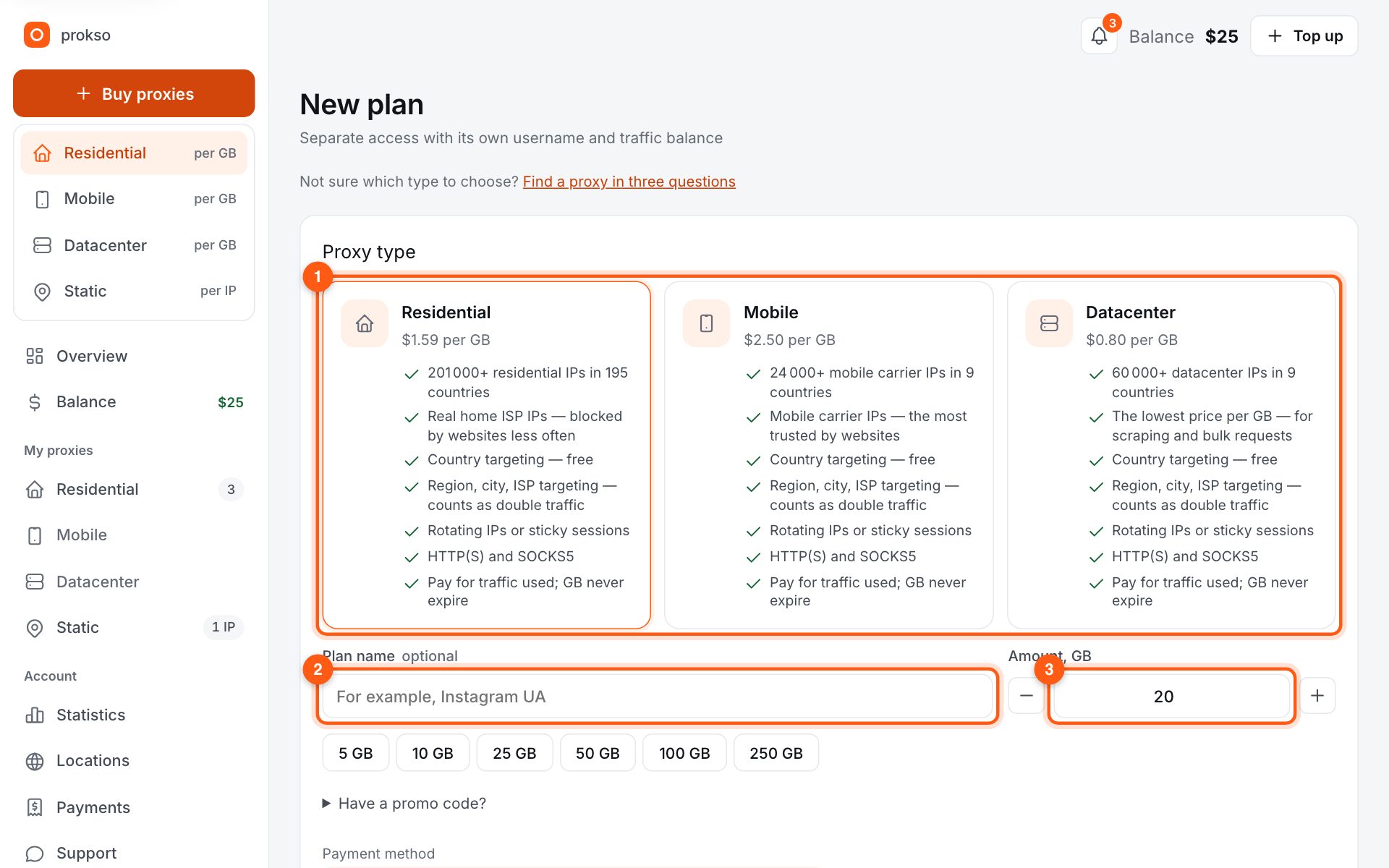
Click “New plan” in the menu. Choose the proxy type (1): residential is the all-rounder, mobile is for social networks and apps, datacenter is the cheapest and suits data collection. The plan name (2) is optional and only you see it. In “Amount, GB” (3) enter the volume, or click a preset.
2. Pay
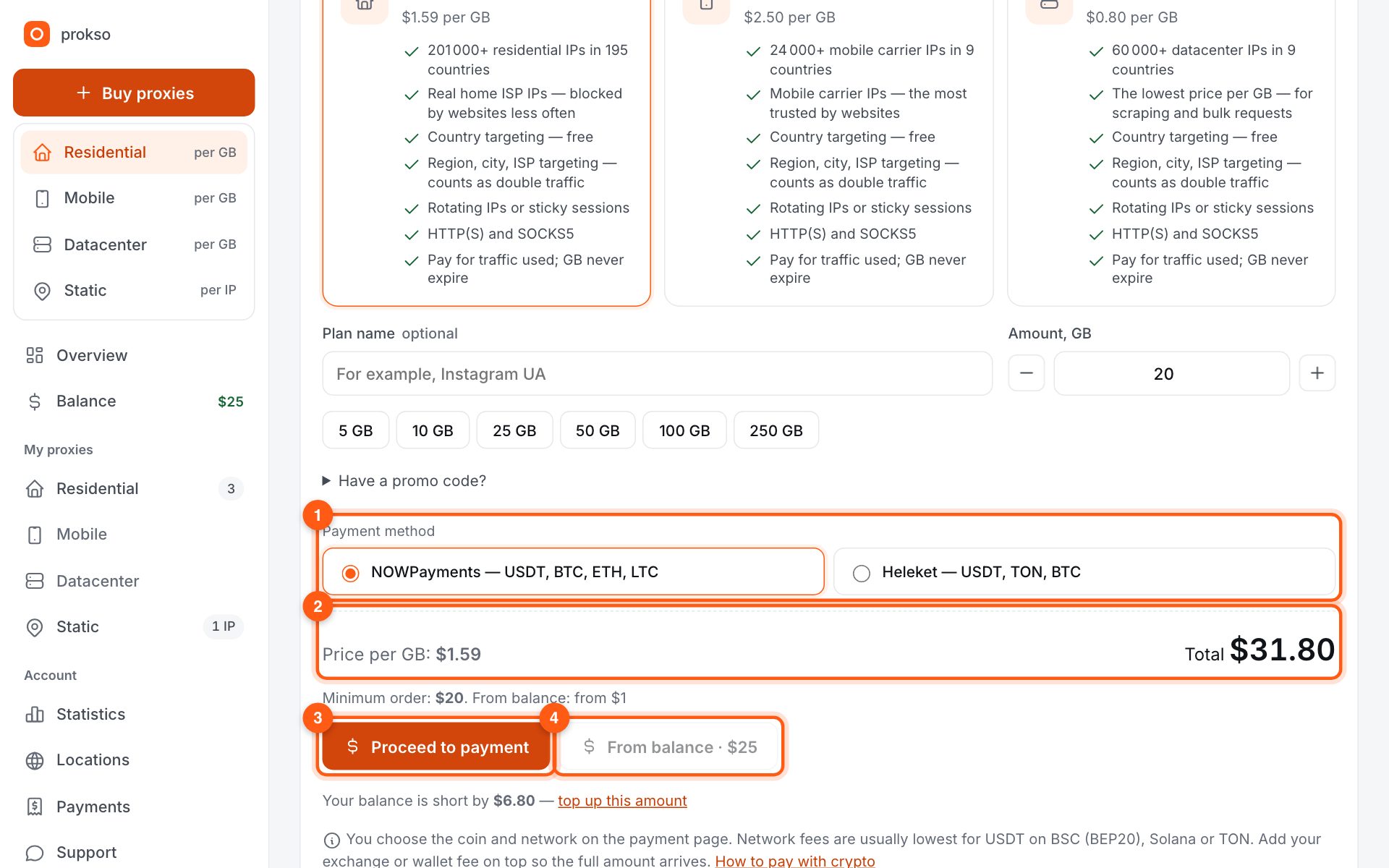
Below the form you see the price per gigabyte and the total (2). There are two ways. Crypto: choose the payment method (1) and click “Proceed to payment” (3). From balance: if you have money on the balance, click “From balance” (4) and the plan appears at once.
Crypto payments have a minimum order amount, shown under the price. From the balance you can buy less.
3. Where to find your access
After payment the plan appears in the left menu under “My plans”. Open it to see the username, password, gateway address and the connection line generator. Traffic never expires: the plan waits until you use it up.
4. How many gigabytes to take
A text page without images weighs tens of kilobytes, so one gigabyte covers thousands of requests. Account work in a browser uses more because of images and video. Start small — you can add more at any time at the same price.