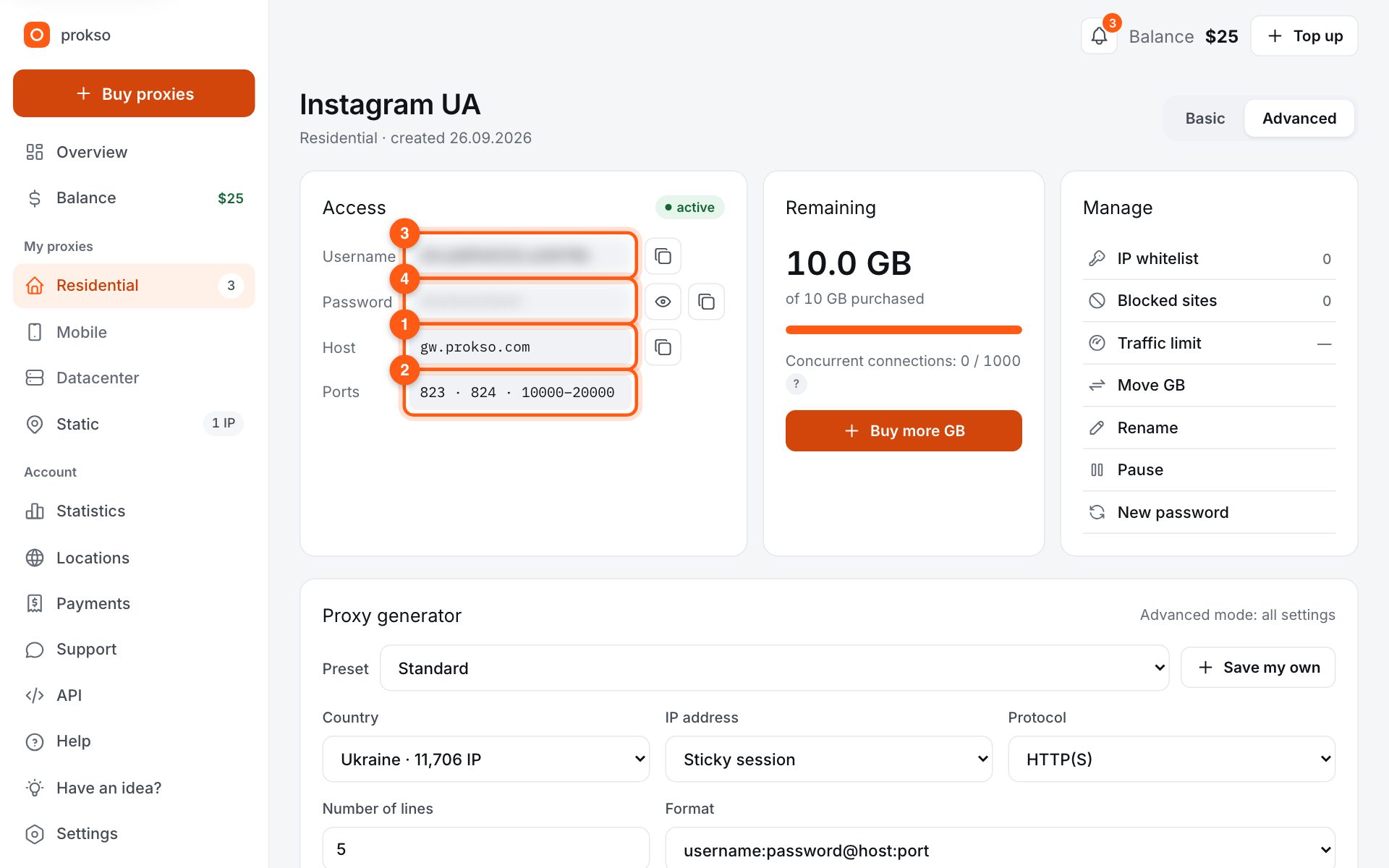
- Host
- gw.prokso.com
- Port
- 823 HTTP · 824 SOCKS5 — new IP per request · 10000–20000 sticky session, HTTP(S) and SOCKS5
- Username and password
- in your dashboard, on the plan page
Your dashboard generates ready-made lines in the format you need: choose the country, IP type and protocol.
- Host gw.prokso.com, ports 823 (HTTP), 824 (SOCKS5), 10000–20000 (sticky sessions, HTTP or SOCKS5)
- The username and password are in your dashboard on the plan page
- Check the IP in the response of the proxied request itself: the My IP page in a browser does not test your script
A step-by-step guide to connecting Prokso proxies in Scrapy. It takes a few minutes.
Step 1. Get the proxy details from your dashboard
Open your plan and copy the host gw.prokso.com, port, username and password. Port 823 is HTTP and 824 is SOCKS5 (both give a new IP for every request); ports 10000–20000 keep one IP (sticky session) for up to 120 minutes and work as both HTTP and SOCKS5 (each port is a separate address). Set the country in the username: username__cr.ua.
Step 2. Make sure HttpProxyMiddleware is on
Scrapy enables it by default (HTTPPROXY_ENABLED = True), nothing extra to install. If you turned it off in settings.py, turn it back on.
Step 3. Pass the proxy in request meta
Set meta={"proxy": ...} with the username and password right in the URL. Scrapy turns them into the proxy authorization header. Port 823 gives a new IP per request.
import scrapy

PROXY = "http://USERNAME:PASSWORD@gw.prokso.com:823"

class IpSpider(scrapy.Spider):
    name = "ip"

    def start_requests(self):
        yield scrapy.Request("https://api.ipify.org?format=json",
                             meta={"proxy": PROXY})

    def parse(self, response):
        yield response.json()
Step 4. Sticky sessions
If the spider logs in or walks pages where one IP matters, spread requests across sticky ports 10000–20000: one session, one port.
# one sticky port per account
PORTS = [10001, 10002, 10003]

def proxy_for(i):
    return f"http://USERNAME:PASSWORD@gw.prokso.com:{PORTS[i % len(PORTS)]}"

# in the request: meta={"proxy": proxy_for(i)}
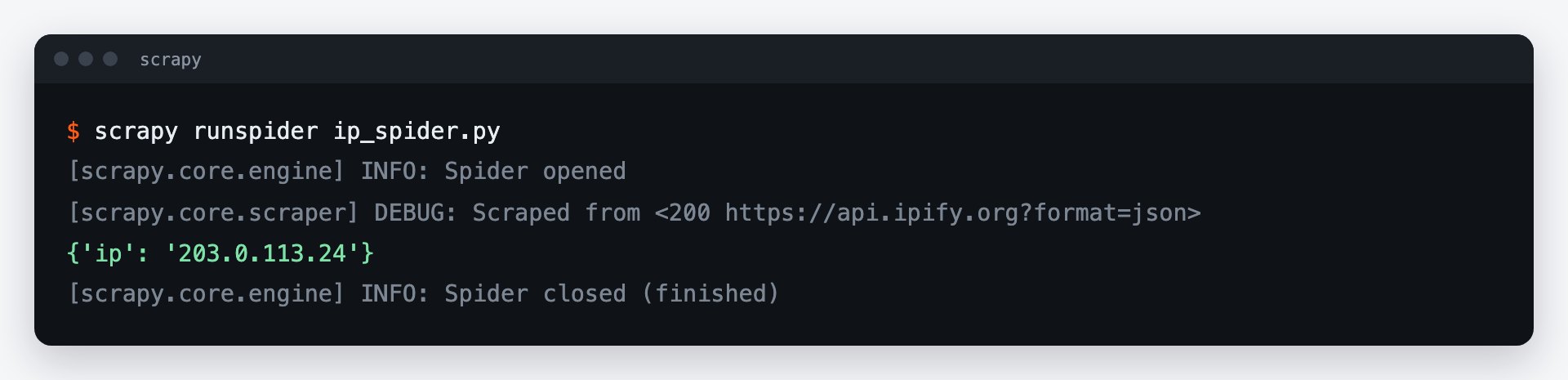
Step 5. Check the IP in the output
Save the example spider as ip_spider.py and run scrapy runspider ip_spider.py. It requests https://api.ipify.org and logs a scraped item with the IP — it should be the proxy's IP, not yours.
Project settings for working through a proxy
Scrapy's default values are designed for a direct connection. Through a proxy it is worth lowering the number of simultaneous requests to one site, turning on automatic speed adjustment, and limiting retries:
# settings.py
CONCURRENT_REQUESTS = 8
CONCURRENT_REQUESTS_PER_DOMAIN = 4
DOWNLOAD_TIMEOUT = 30
AUTOTHROTTLE_ENABLED = True          # slows down when the site responds slowly
RETRY_TIMES = 2
RETRY_HTTP_CODES = [502, 503, 504, 408]
COMPRESSION_ENABLED = True           # compressed responses use less traffic
Leave only temporary failures in RETRY_HTTP_CODES. Codes 403 and 429 come from the site: retrying them right away is pointless, and traffic is spent on every response.
A proxy for all requests at once
To avoid writing meta in every request, add the proxy in a small middleware. It has to come before the built-in HttpProxyMiddleware:
# middlewares.py
class ProksoProxyMiddleware:
    def process_request(self, request, spider):
        request.meta.setdefault("proxy", spider.settings["PROXY_URL"])

# settings.py
PROXY_URL = "http://USERNAME:PASSWORD@gw.prokso.com:823"
DOWNLOADER_MIDDLEWARES = {"myproject.middlewares.ProksoProxyMiddleware": 350}
How to spend less traffic
Scrapy loads only the HTML, without images or scripts, so on its own it uses little. The main losses are repeated crawls. Turn on HTTPCACHE_ENABLED while you debug the spider: pages will be taken from disk rather than through the proxy. Before you launch, estimate the volume in the traffic calculator.
FAQ
Can I set the proxy for the whole project at once?
Yes: HttpProxyMiddleware reads the <code>http_proxy</code> and <code>https_proxy</code> environment variables. The <code>meta</code> value takes priority, so you can still override it per request.
What does a 407 error mean?
It means the proxy rejected the username or password. Copy them again from the plan page and check the password has no characters that need URL encoding.
How do I change the IP on every request?
You do not need to do anything: port 823 gives out a new IP for every request. A proxy pool and separate rotation extensions are not required.
The site responds with 403 to every request. Is the proxy the problem?
Usually not: this is the site's response. Check the request headers, User-Agent first of all, lower the speed, and try a different proxy type. More details are on <a href="/en/errors/403-forbidden">the 403 error page</a>.
Does the proxy work with scrapy-playwright?
Yes, but there the proxy is set in the browser launch parameters rather than through <code>meta["proxy"]</code>.