Sign up and log in
Creating an account takes a minute: first name, last name, country, email and a password. We do not ask for documents or a phone number.
1. Create an account
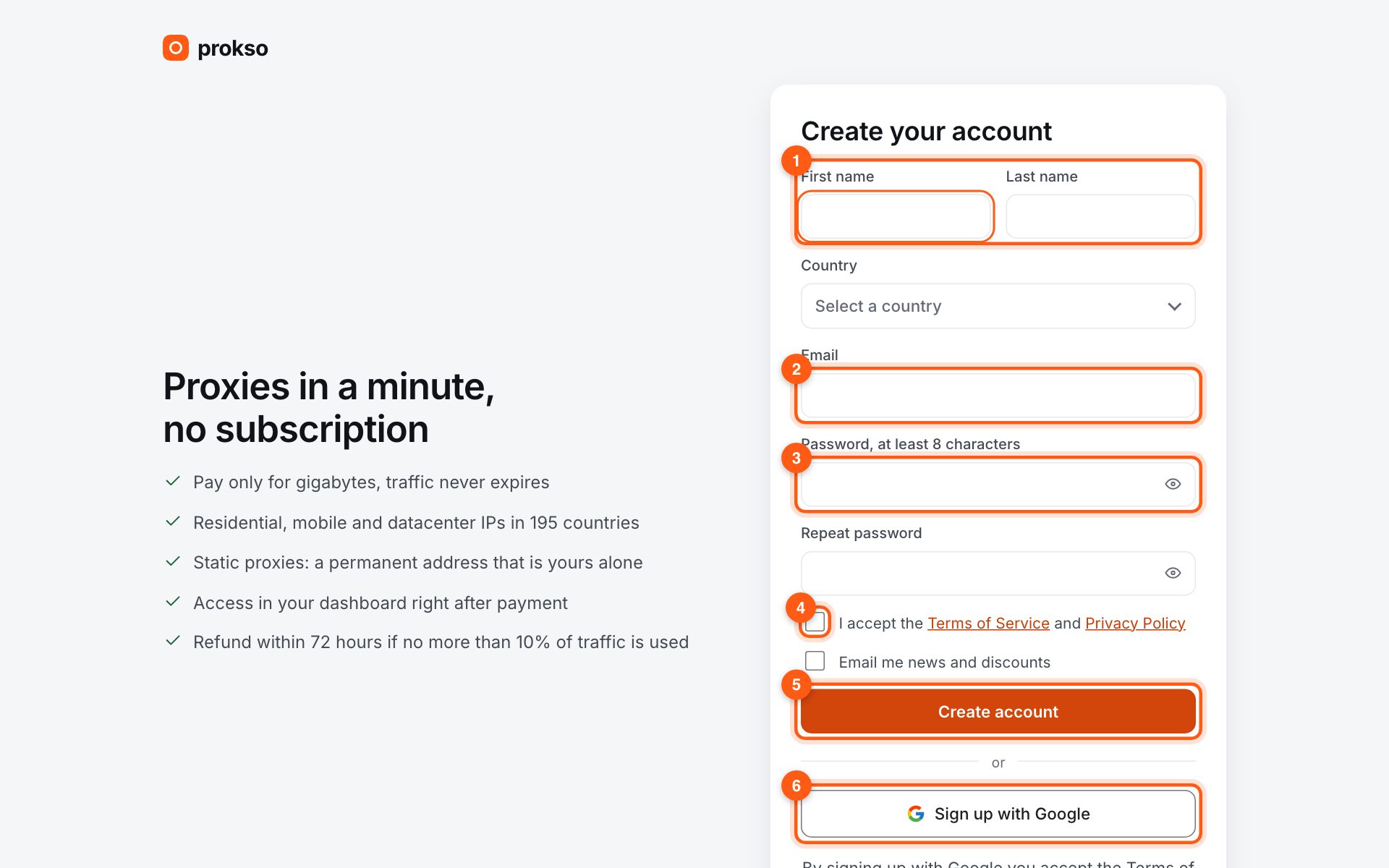
Open the sign-up page. Enter your first name, last name and country (1), your email (2), type a password of at least 8 characters twice (3), tick the box to accept the offer (4) and click “Create account” (5). A quicker way is “Sign up with Google” (6) below the form: no password to invent.
2. Confirm your email
We send a message with a link to the address you entered. Follow it so we know the email is yours. Payment notices and low-traffic alerts go to the confirmed address. No message? Check Spam or resend it from the dashboard.
3. Logging in and resetting a password
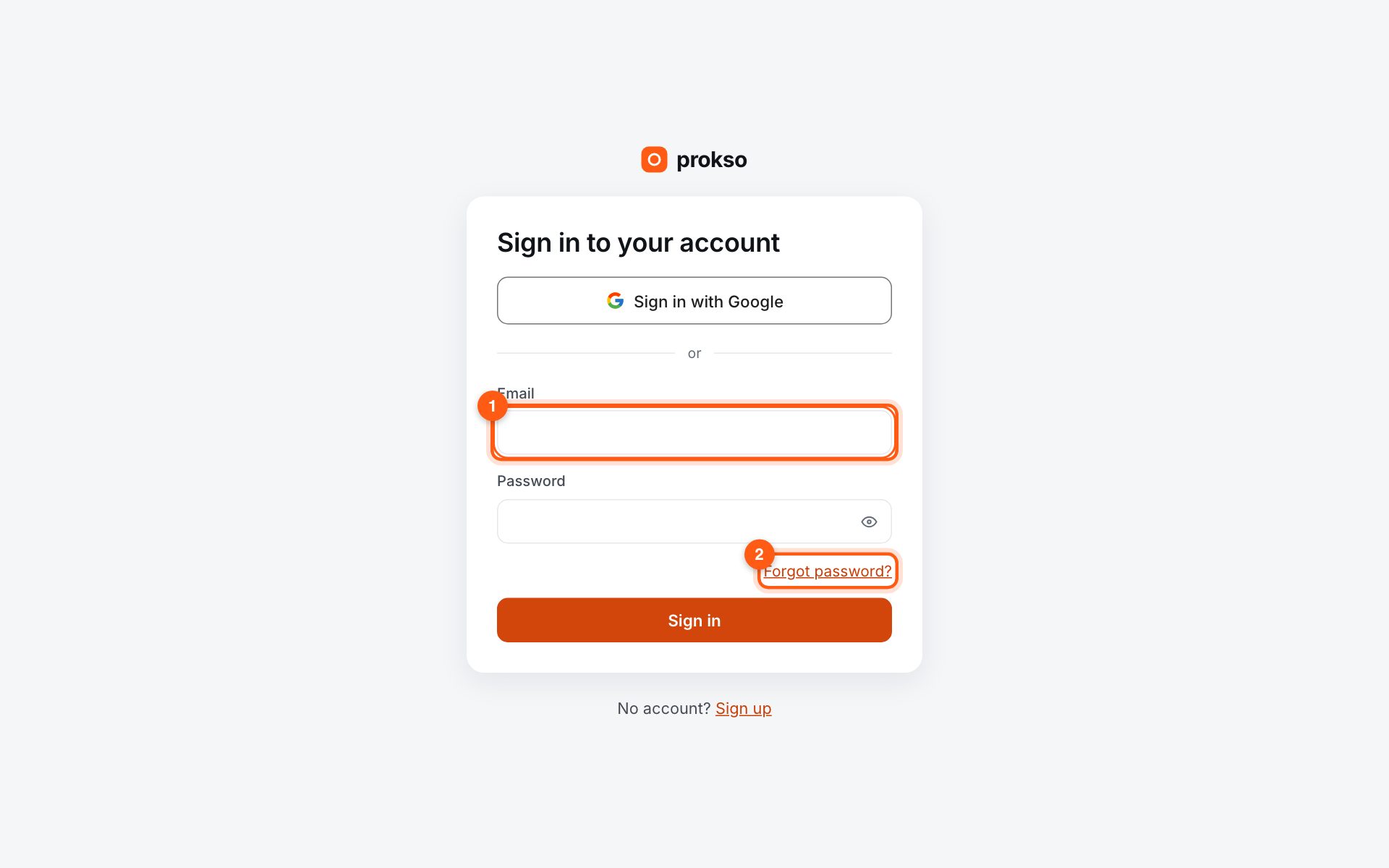
Next time enter your email (1) and password, or sign in with Google. Forgot the password? Click “Forgot password?” (2) and we will email a link to set a new one.
4. Protect the account with a code
In Settings you can turn on login with a code from an authenticator app. Then even someone who has your password cannot get into the dashboard or spend your balance.