- Host
- gw.prokso.com
- Port
- 823 HTTP · 824 SOCKS5 — new IP per request · 10000–20000 sticky session, HTTP(S) and SOCKS5
- Username and password
- in your dashboard, on the plan page
Your dashboard generates ready-made lines in the format you need: choose the country, IP type and protocol.
- Host gw.prokso.com, ports 823 (HTTP), 824 (SOCKS5), 10000–20000 (sticky sessions, HTTP or SOCKS5)
- The username and password are in your dashboard on the plan page
- After setup, check your IP on the My IP page
A step-by-step guide to connecting Prokso proxies in Screaming Frog SEO Spider. It takes a few minutes.
Step 1. Get the proxy details from your dashboard
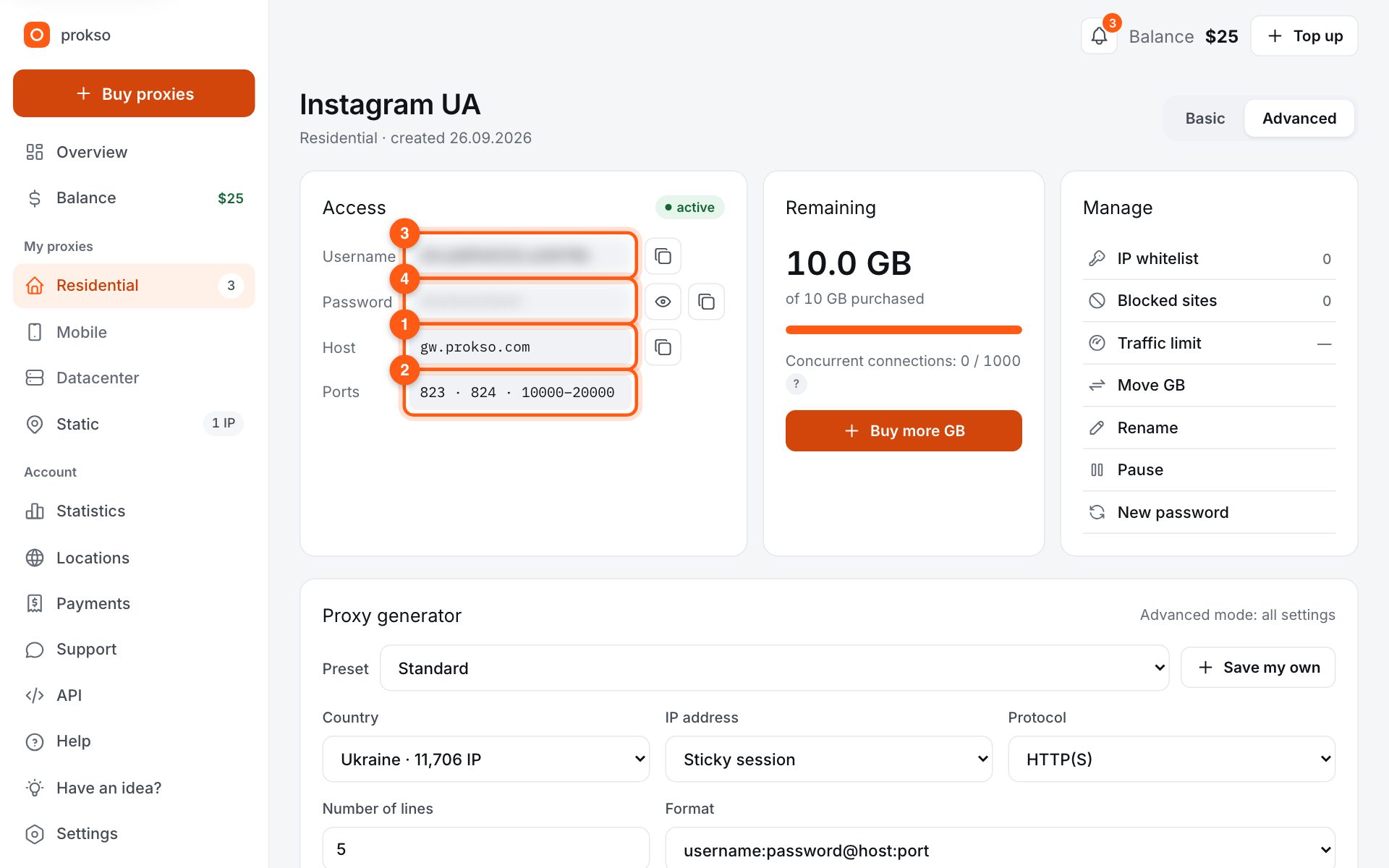
Open your plan and copy the host gw.prokso.com, port, username and password. Port 823 is HTTP and 824 is SOCKS5 (both give a new IP for every request); ports 10000–20000 keep one IP (sticky session) for up to 120 minutes and work as both HTTP and SOCKS5 (each port is a separate address). Set the country in the username: username__cr.ua.
Step 2. Open the proxy settings
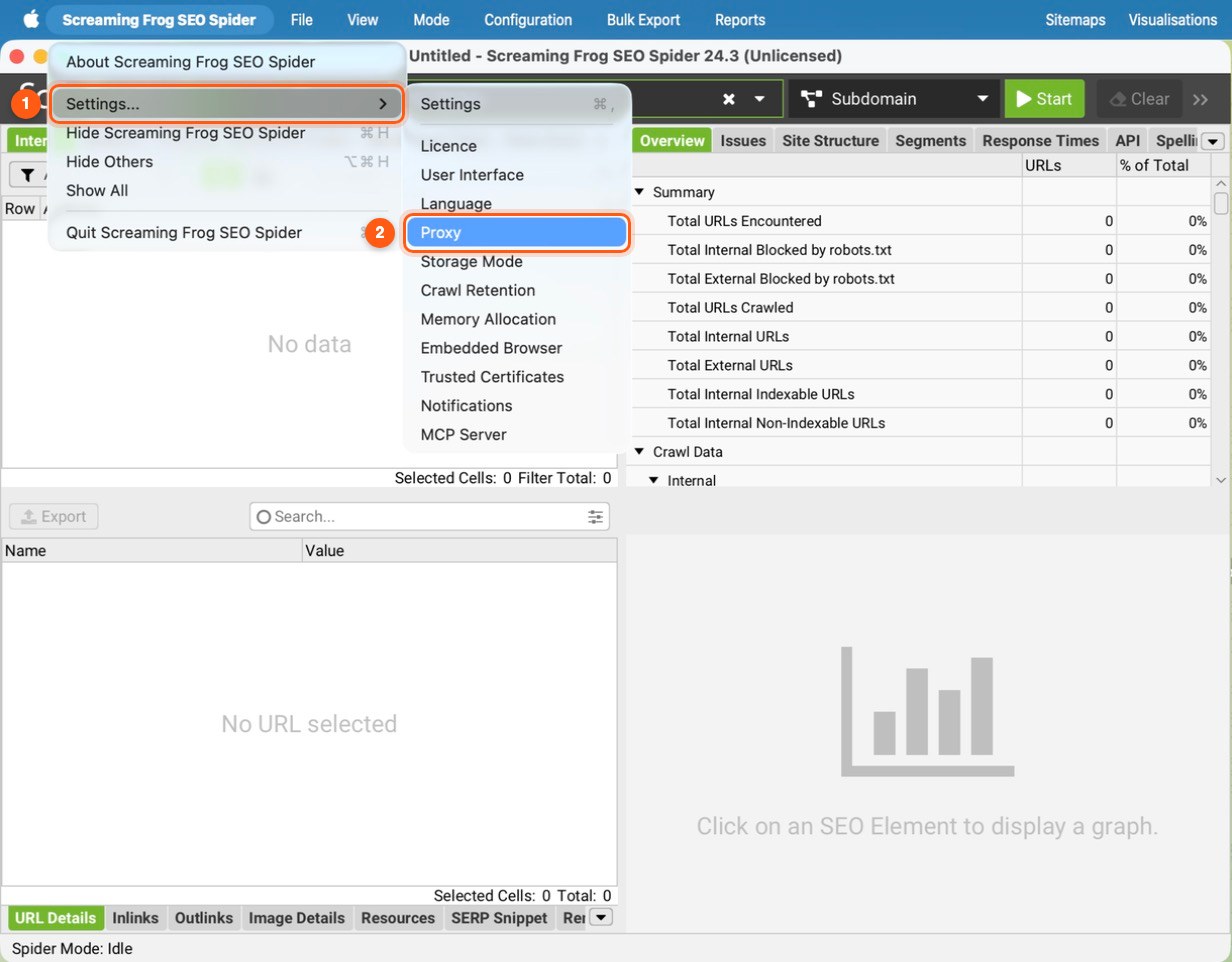
On Windows and Linux go to File → Settings → Proxy, on macOS to Screaming Frog SEO Spider → Settings → Proxy. Older versions had it under Configuration → System → Proxy.
Step 3. Enter the server and port
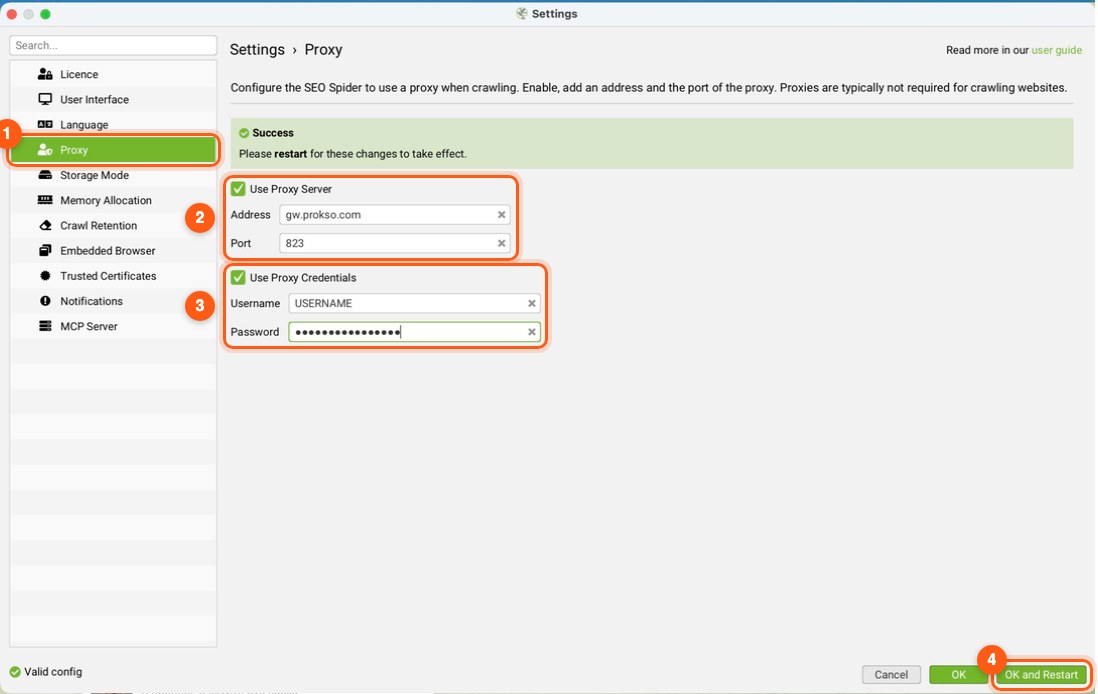
Tick Use Proxy Server, enter gw.prokso.com as the address and port 823 if every request should come from a new IP, or a sticky port from 10000–20000 if you want one IP for the whole crawl. Click OK — the app asks to restart, and the proxy only works after that.
Step 4. Enter the username and password
In the same window, tick Use Proxy Credentials, enter the username and password from your plan page and click OK and Restart. Older versions asked for them after the restart, once a crawl started. To skip this prompt, add your computer's IP on the plan page in the IP whitelist (no password) block — then no username or password is needed.
Step 5. Lower the speed
In Configuration → Speed set 2–4 threads and, if needed, cap URLs per second. You get fewer timeouts and fewer blocks from the site.
Step 6. Check with a test crawl
Switch to Mode → List, paste https://api.ipify.org and start the crawl. Status 200 means the proxy lets requests through. To see the IP itself, turn on Configuration → Spider → Extraction → Store HTML before the crawl and open the View Source tab at the bottom — it shows the proxy's IP.
When you really need a proxy in Screaming Frog
An ordinary audit of your own site does not require a proxy. You need one in three cases: to see how the site serves pages to visitors from another country; to check whether the server shows different content depending on geography; to crawl a site that limits the number of requests from one address.
For the first two tasks, take a sticky port and the country you need in the username: the whole crawl will run from one IP. For the third, port 823 will do, but it is still worth keeping the speed moderate.
Traffic usage during a crawl
By default Screaming Frog loads not only the HTML but also images, styles, and scripts. For checking links and metadata this is unnecessary: turn them off in Configuration → Spider. JavaScript rendering mode multiplies the volume several times over, so turn it on only where you cannot do without it.
The traffic calculator will help you estimate the volume before you start: multiply the number of pages by the average HTML size.
If the crawl runs with errors
- Many 429 responses. The site is limiting the request rate: reduce the number of threads and set a limit on URLs per second.
- Timeouts. Increase the response timeout in the settings: pages take longer to load through residential addresses.
- 407 responses. The program did not pass the username and password. Enter them again or turn on access by IP.
- Some pages bypass the proxy. Check the list of exceptions in the proxy settings.
FAQ
After setup every page returns a connection error. What's wrong?
Make sure you restarted the app after saving and that the username and password have no extra spaces. If the error stays, untick Use Proxy Server for a moment to see whether the problem is the proxy or the site itself.
Can I use SOCKS5?
Screaming Frog's proxy setting is built for HTTP proxies, so use HTTP: port 823 for rotation or a sticky 10000–20000 port.
Does the proxy work in List mode?
Yes. The proxy setting is shared by all of the program's modes.
Do I need to restart the program after changing the proxy?
Yes. Screaming Frog applies the proxy settings at startup.