- Host
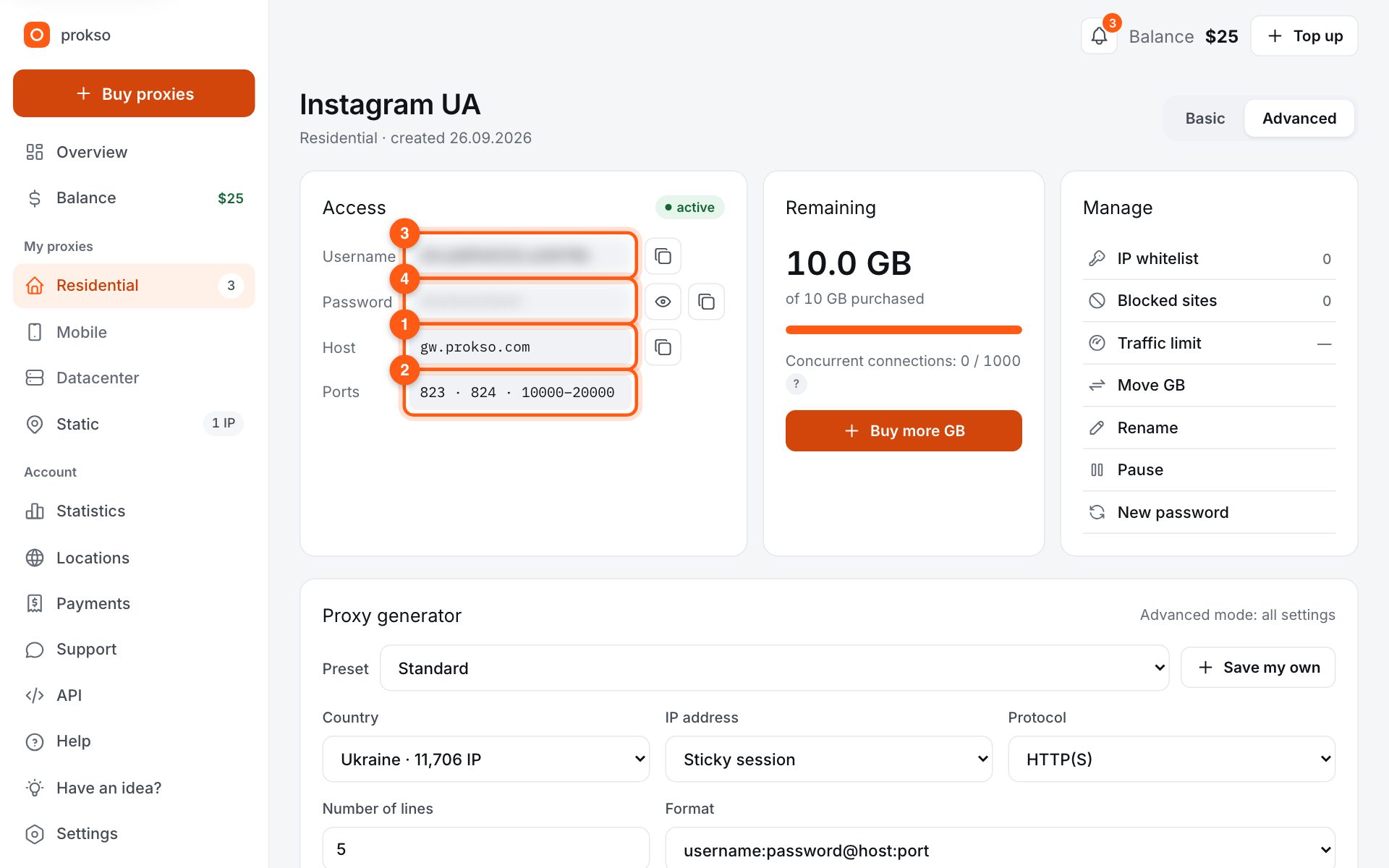
- gw.prokso.com
- Port
- 823 HTTP · 824 SOCKS5 — new IP per request · 10000–20000 sticky session, HTTP(S) and SOCKS5
- Username and password
- in your dashboard, on the plan page
Your dashboard generates ready-made lines in the format you need: choose the country, IP type and protocol.
- Host gw.prokso.com, ports 823 (HTTP), 824 (SOCKS5), 10000–20000 (sticky sessions, HTTP or SOCKS5)
- The username and password are in your dashboard on the plan page
- After setup, check your IP on the My IP page
A step-by-step guide to connecting Prokso proxies in Apify. It takes a few minutes.
Step 1. Get the proxy details from your dashboard
Open your plan and copy the host gw.prokso.com, port, username and password. Port 823 is HTTP and 824 is SOCKS5 (both give a new IP for every request); ports 10000–20000 keep one IP (sticky session) for up to 120 minutes and work as both HTTP and SOCKS5 (each port is a separate address). Set the country in the username: username__cr.ua.
Step 2. Ready-made Actor: enter your own proxies
Open the Actor you need in Apify Console, go to the Input tab and find the Proxy and browser configuration section. Choose the option for your own proxies and paste the URL in the format http://USERNAME:PASSWORD@gw.prokso.com:823.
Step 3. Your own code: pass proxyUrls
In your own Actor create a proxy configuration with Actor.createProxyConfiguration and the proxyUrls parameter, then pass it to the crawler.
import { Actor } from "apify";
import { HttpCrawler } from "crawlee";

await Actor.init();

const proxyConfiguration = await Actor.createProxyConfiguration({
    proxyUrls: ["http://USERNAME:PASSWORD@gw.prokso.com:823"],
});

const crawler = new HttpCrawler({
    proxyConfiguration,
    additionalMimeTypes: ["application/json"],
    async requestHandler({ json }) {
        console.log(json);
    },
});

await crawler.run(["https://api.ipify.org?format=json"]);
await Actor.exit();
Step 4. Choose the port for the task
Port 823 gives a new address per request, spreading requests across many IPs. If the crawler needs a session with one address, add several URLs with sticky ports 10000–20000 to proxyUrls: Apify rotates through them.
Step 5. Check the run log
Run the Actor: the example calls https://api.ipify.org and writes the IP the website sees to the Log. It should be the proxy's address. If the log shows a proxy connection error, check the username, password and port.
Actors run in the cloud
An Actor runs on Apify servers, not on your computer. So the IP whitelist (no password) is not suitable here: you do not know the cloud's addresses, and they change. Use a proxy address with a username and password.
For the same reason, you need to check the IP in the run log, not in your own browser.
Sessions and rotation in Crawlee
With port 823 every request goes out from a new IP, so a separate session pool is not needed for rotation. If a site requires a series of requests to come from one address, pass several addresses with sticky ports in proxyUrls: Crawlee will assign an address to a session and change it when the session is marked as failed.
Limit the number of retries with the maxRequestRetries parameter: every retry is one more request and more traffic.
How to spend less traffic
Choose the lightest crawler that can handle the task. HttpCrawler and CheerioCrawler load only the HTML. Browser crawlers load the whole page and use several times more, so keep them for sites that do not work without JavaScript. The traffic calculator will help you estimate the volume.
FAQ
Do I need an Apify Proxy subscription?
No. Your own proxies are used instead of Apify's built-in proxy; you pay only for the traffic on your Prokso plan.
Which proxy type should I choose for Apify?
For sites with light protection, datacenter proxies are enough and they are the cheapest. If a site blocks datacenter addresses, use residential ones.
Where should I store the proxy username and password?
Not in the code. Use the Actor's secret input fields or environment variables marked as secret.
The Actor responds with 407. What should I check?
The username and password in the proxy address, the encoding of special characters, and the remaining traffic on your plan.