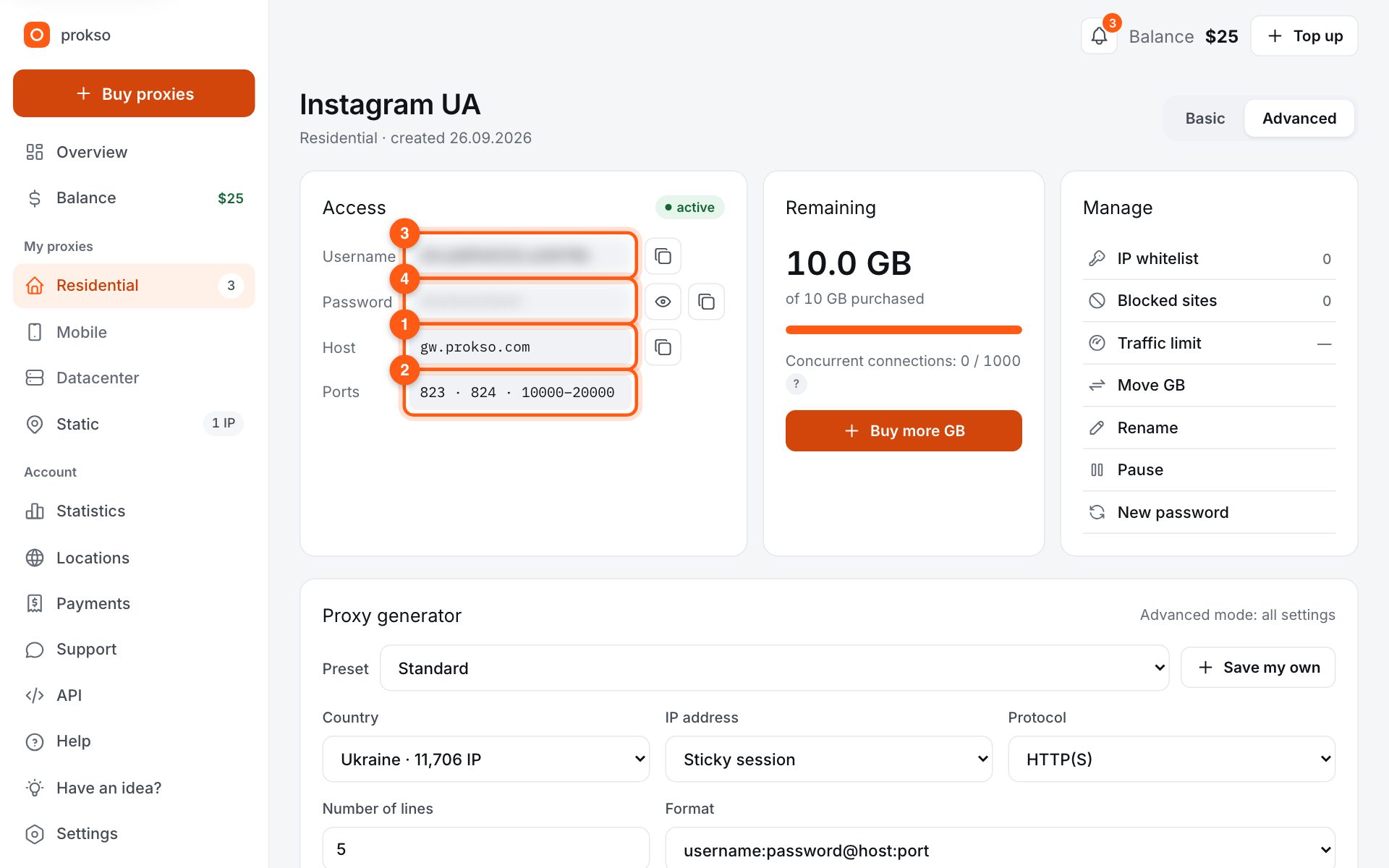
- Host
- gw.prokso.com
- Port
- 823 HTTP · 824 SOCKS5 — new IP per request · 10000–20000 sticky session, HTTP(S) and SOCKS5
- Username and password
- in your dashboard, on the plan page
Your dashboard generates ready-made lines in the format you need: choose the country, IP type and protocol.
- Host gw.prokso.com, ports 823 (HTTP), 824 (SOCKS5), 10000–20000 (sticky sessions, HTTP or SOCKS5)
- The username and password are in your dashboard on the plan page
- Check the IP in the response of the proxied request itself: the My IP page in a browser does not test your script
A step-by-step guide to connecting Prokso proxies in Puppeteer. It takes a few minutes.
Step 1. Get the proxy details from your dashboard
Open your plan and copy the host gw.prokso.com, port, username and password. Port 823 is HTTP and 824 is SOCKS5 (both give a new IP for every request); ports 10000–20000 keep one IP (sticky session) for up to 120 minutes and work as both HTTP and SOCKS5 (each port is a separate address). Set the country in the username: username__cr.ua.
Step 2. Pass the proxy at launch
Chromium in Puppeteer takes the proxy from the --proxy-server argument. Give only the host and port — no username or password.
Step 3. Authenticate on the page
Pass the username and password with page.authenticate() before the first navigation. The example below opens a page showing your IP.
import puppeteer from "puppeteer";

const browser = await puppeteer.launch({ args: ["--proxy-server=http://gw.prokso.com:823"] });
const page = await browser.newPage();
await page.authenticate({ username: "USERNAME", password: "PASSWORD" });
await page.goto("https://api.ipify.org");
console.log(await page.evaluate(() => document.body.innerText));
await browser.close();
Save it as check.mjs and run node check.mjs.
Step 4. One IP per session
For account work, launch each browser on its own sticky port 10000–20000 so cookies and IPs don't mix.
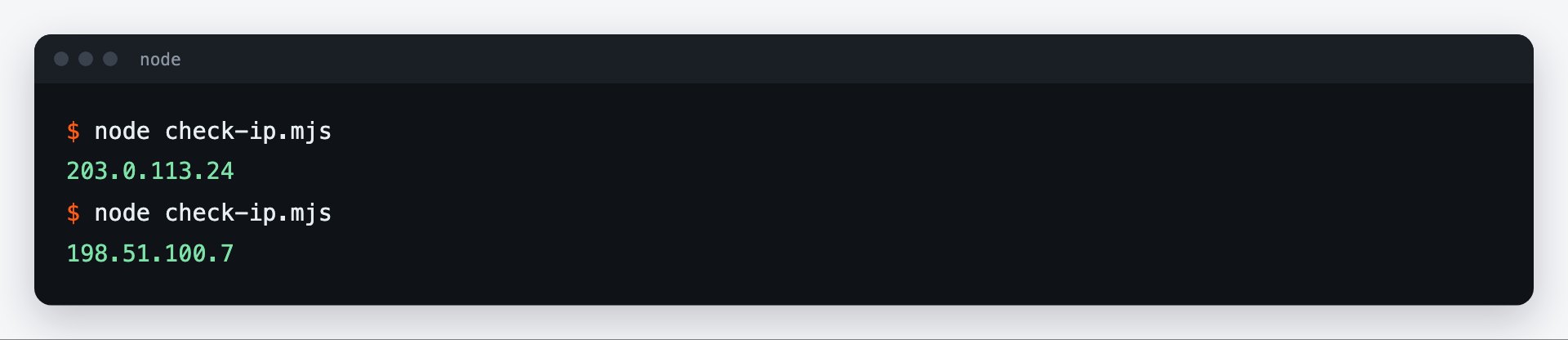
Step 5. Check the IP in the launched browser
The example in step 3 opens https://api.ipify.org in the Puppeteer browser and logs the IP the website sees — it should differ from yours. You can also open https://prokso.com/en/tools/my-ip with page.goto() to see the country. Your regular Chrome doesn't use this proxy and will show your own address.
How to cut traffic use
A browser loads everything: images, fonts, video, ads. For data collection that is unnecessary. Request interception lets you cancel what you do not need:
await page.setRequestInterception(true);
page.on("request", (req) => {
  // skip heavy resources: they are not needed for data collection
  const skip = ["image", "media", "font"].includes(req.resourceType());
  skip ? req.abort() : req.continue();
});
On pages with a lot of images, this cuts the volume several times over. It is better not to block styles: without them some sites render the page differently, and the elements you need may not appear.
A separate IP for each browser
The --proxy-server argument is set at launch and applies to the whole browser. You cannot change the proxy of a running browser. To get a different IP, launch another browser with a different sticky port or restart the current one.
For accounts, add a separate profile folder to the proxy through userDataDir: then each account has its own cookies and its own IP.
If the page does not open
- net::ERR_PROXY_CONNECTION_FAILED. The browser could not reach the proxy: check the host and port in the launch argument.
- net::ERR_TUNNEL_CONNECTION_FAILED. The proxy refused the connection: the username and password are wrong or the traffic has run out.
- net::ERR_INVALID_AUTH_CREDENTIALS.
page.authenticate()was called after navigation or with a typo. Call it before the firstpage.goto(). - Navigation timeout. Pages load more slowly through residential addresses. Increase the timeout in
page.goto().
A breakdown of the first two errors is on the ERR_PROXY_CONNECTION_FAILED and ERR_TUNNEL_CONNECTION_FAILED pages.
FAQ
Do I need to call page.authenticate() for every tab?
Yes. Authentication is set per page, so call it for every new tab before navigation.
Can I do without a username and password?
Yes. Add the IP of your computer or server to the "IP whitelist (no password)" block on the plan page: then <code>page.authenticate()</code> is not needed.
Does the proxy work in headless mode?
Yes, it works the same in both modes.