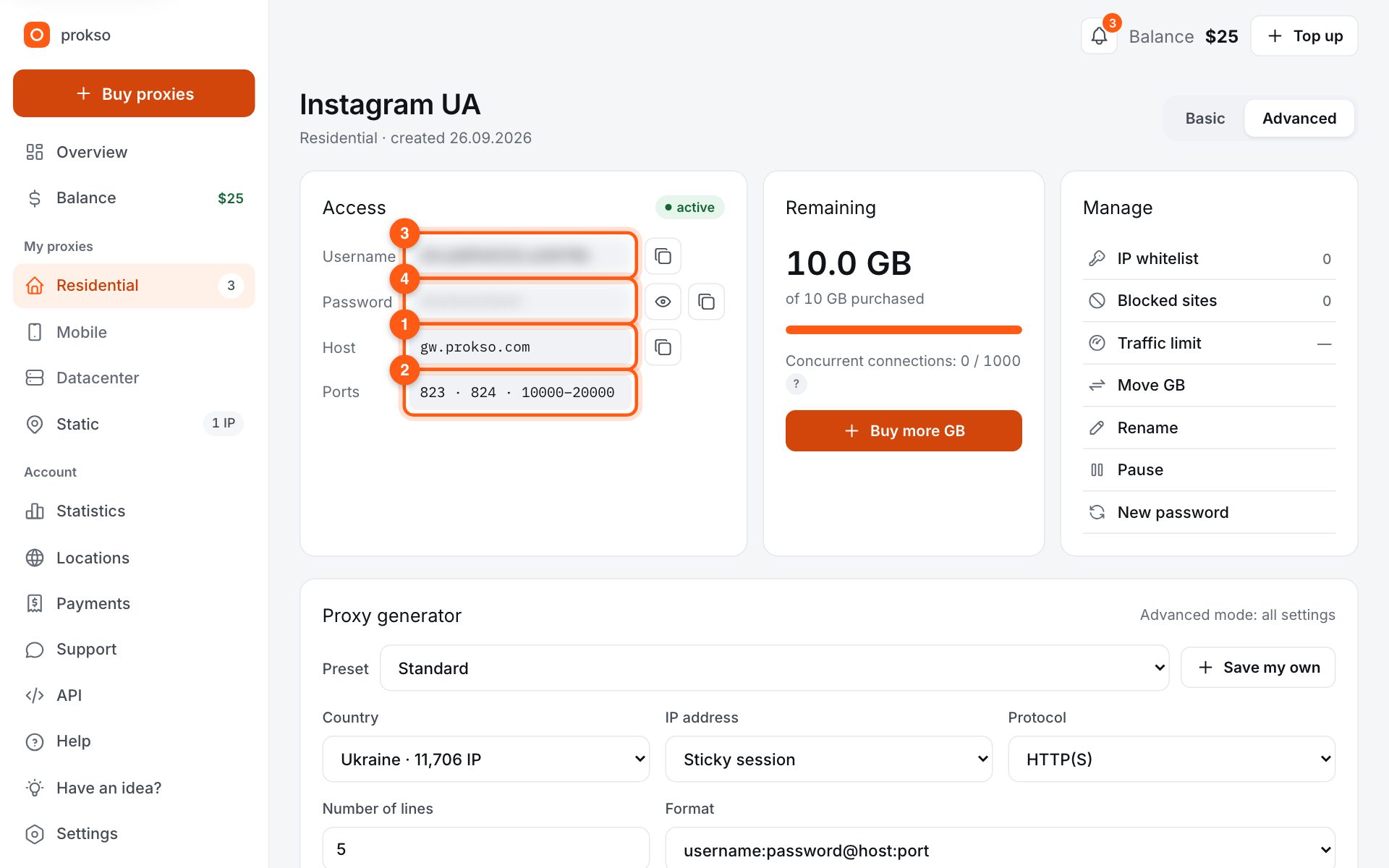
- Host
- gw.prokso.com
- Port
- 823 HTTP · 824 SOCKS5 — new IP per request · 10000–20000 sticky session, HTTP(S) and SOCKS5
- Username and password
- in your dashboard, on the plan page
Your dashboard generates ready-made lines in the format you need: choose the country, IP type and protocol.
- Host gw.prokso.com, ports 823 (HTTP), 824 (SOCKS5), 10000–20000 (sticky sessions, HTTP or SOCKS5)
- The username and password are in your dashboard on the plan page
- Check the IP in the response of the proxied request itself: the My IP page in a browser does not test your script
A step-by-step guide to connecting Prokso proxies in Selenium (Python). It takes a few minutes.
Step 1. Get the proxy details from your dashboard
Open your plan and copy the host gw.prokso.com, port, username and password. Port 823 is HTTP and 824 is SOCKS5 (both give a new IP for every request); ports 10000–20000 keep one IP (sticky session) for up to 120 minutes and work as both HTTP and SOCKS5 (each port is a separate address). Set the country in the username: username__cr.ua.
Step 2. Add your IP to the IP whitelist
Chrome doesn't accept a username and password in --proxy-server, so the simplest way is to open your plan page in the dashboard and, in the IP whitelist (no password) block, add the IP of the computer or server that runs the script (up to 5 addresses). The proxy then lets you in without a password.
Step 3. Pass the proxy to Chrome
Run pip install selenium and set the proxy with --proxy-server: host gw.prokso.com and a port. To keep one IP for the whole browser session, use a sticky port from 10000–20000 so pages don't load from different IPs.
# pip install selenium   (the computer's IP is added to the IP whitelist)
from selenium import webdriver
from selenium.webdriver.common.by import By

opts = webdriver.ChromeOptions()
opts.add_argument("--proxy-server=http://gw.prokso.com:10001")
driver = webdriver.Chrome(options=opts)
driver.get("https://api.ipify.org")
print(driver.find_element(By.TAG_NAME, "body").text)
driver.quit()
Step 4. If you need username and password authentication
If the IP whitelist doesn't fit (say, your server IP changes often), you can route traffic through selenium-wire, which adds the username and password for you. Note that this project is no longer maintained, so it may break on newer Selenium versions.
# pip install selenium-wire   (no longer maintained)
from seleniumwire import webdriver

sw = {"proxy": {"http": "http://USERNAME:PASSWORD@gw.prokso.com:823",
                "https": "http://USERNAME:PASSWORD@gw.prokso.com:823"}}
driver = webdriver.Chrome(seleniumwire_options=sw)
driver.get("https://api.ipify.org")
print(driver.page_source)
driver.quit()
Step 5. Check which IP the script sees
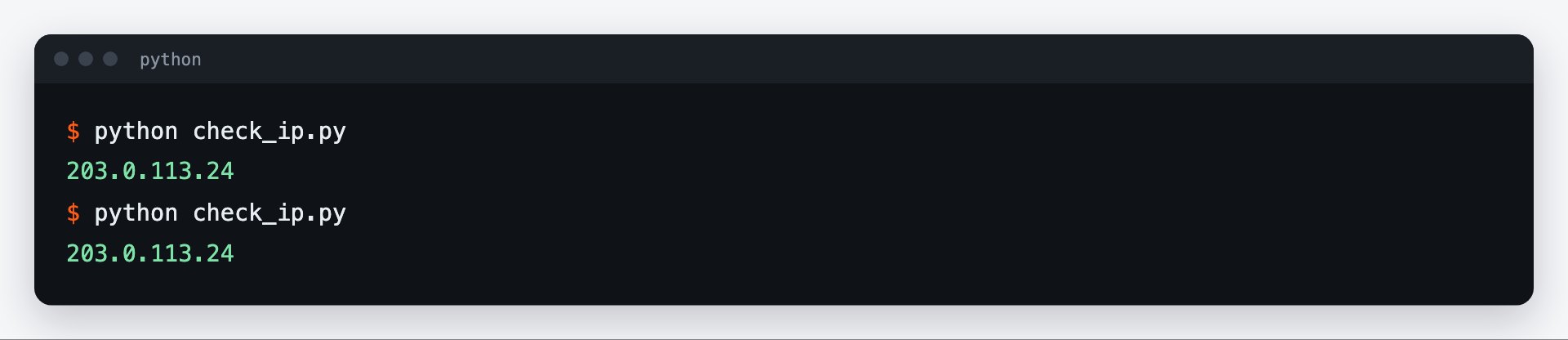
Run the example: the Selenium-driven Chrome opens https://api.ipify.org and the script prints the IP — it should be the proxy's IP. Your regular browser has no proxy, so the My IP page there will show your own address.
If the server's address changes
Access by IP is convenient as long as your computer or server has a permanent external address. With home internet and some cloud servers the address changes, and the proxy stops letting the script in. The telltale sign: everything worked yesterday, and today Chrome shows a login prompt. Check the current address with the curl https://prokso.com/ip command without a proxy and update it on the plan page.
How to cut traffic use
Turn off image loading in the Chrome settings and run the browser without a window: images are not needed for data collection.
opts = webdriver.ChromeOptions()
opts.add_argument("--proxy-server=http://gw.prokso.com:10001")
opts.add_argument("--headless=new")
# do not load images: saves most of the page weight
opts.add_experimental_option("prefs", {"profile.managed_default_content_settings.images": 2})
driver = webdriver.Chrome(options=opts)
Waits and timeouts
Pages open more slowly through a proxy than they do directly. Instead of fixed-length pauses, use explicit waits with WebDriverWait: the script will continue as soon as the element appears. The overall load limit is set by driver.set_page_load_timeout(): set it with some margin, for example 60 seconds.
If the page does not open
- A login prompt appears. The script's IP has not been added to access by IP, or it has changed.
- ERR_PROXY_CONNECTION_FAILED. Check the host and port in
--proxy-server. - ERR_TUNNEL_CONNECTION_FAILED. The proxy refused the connection: most often the plan has run out of traffic.
- TimeoutException. The page did not finish loading in time: increase the limit or check whether the site itself is responding.
FAQ
Why doesn't http://username:password@host work in --proxy-server?
Chrome ignores credentials in that flag by design. That's why you need the IP whitelist or a tool that answers the authentication request for you.
How do I run several browsers with different IPs?
Give each Chrome instance its own sticky port from 10000–20000. Each port keeps its own IP.
How do I pick the IP country?
Switch to advanced mode (Settings → Settings mode → Advanced), open your plan and set default countries in Pool settings, e.g. <code>de, pl</code>. The IP whitelist will then use addresses from those countries only. If the field is empty, IPs come from any country in the pool except excluded ones.
Does the proxy work in headless mode?
Yes. The <code>--proxy-server</code> argument works the same with a window and without one.
Can I use Firefox instead of Chrome?
Yes. In Firefox the proxy is set through the profile settings rather than a launch argument. It does not accept a username and password from code either, so access by IP remains the simplest way.