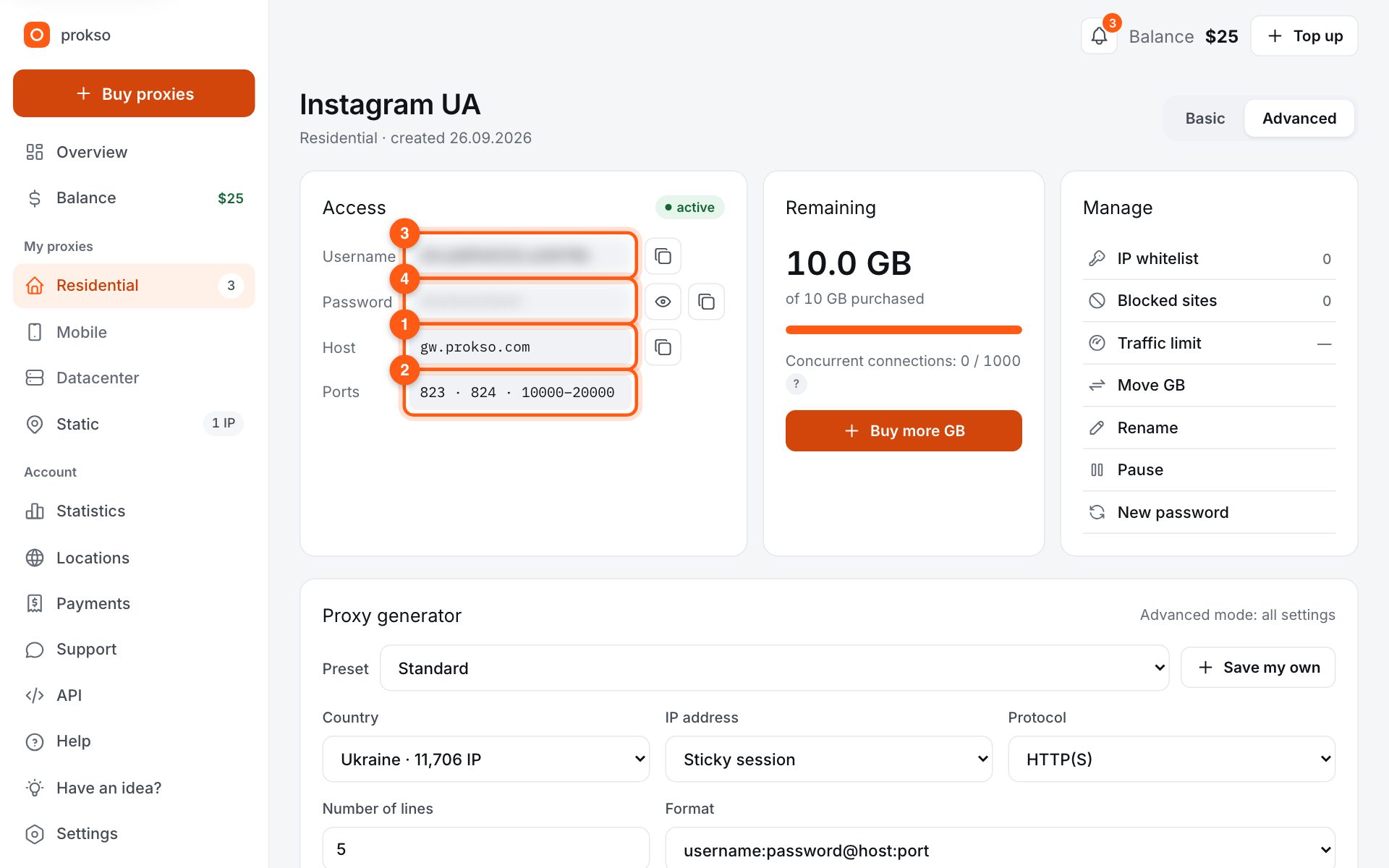
- Host
- gw.prokso.com
- Port
- 823 HTTP · 824 SOCKS5 — new IP per request · 10000–20000 sticky session, HTTP(S) and SOCKS5
- Username and password
- in your dashboard, on the plan page
Your dashboard generates ready-made lines in the format you need: choose the country, IP type and protocol.
- Host gw.prokso.com, ports 823 (HTTP), 824 (SOCKS5), 10000–20000 (sticky sessions, HTTP or SOCKS5)
- The username and password are in your dashboard on the plan page
- Check the IP in the response of the proxied request itself: the My IP page in a browser does not test your script
A step-by-step guide to connecting Prokso proxies in node-fetch. It takes a few minutes.
Step 1. Get the proxy details from your dashboard
Open your plan and copy the host gw.prokso.com, port, username and password. Port 823 is HTTP and 824 is SOCKS5 (both give a new IP for every request); ports 10000–20000 keep one IP (sticky session) for up to 120 minutes and work as both HTTP and SOCKS5 (each port is a separate address). Set the country in the username: username__cr.ua.
Step 2. Install the packages
You need node-fetch and https-proxy-agent: npm i node-fetch https-proxy-agent.
Step 3. Pass a proxy agent to the request
Create an HttpsProxyAgent with the proxy URL and pass it in the agent option. Save the code to a file with the .mjs extension and run it with node.
import fetch from "node-fetch";
import { HttpsProxyAgent } from "https-proxy-agent";

const agent = new HttpsProxyAgent("http://USERNAME:PASSWORD@gw.prokso.com:823");
const res = await fetch("https://api.ipify.org?format=json", { agent });
console.log(await res.json());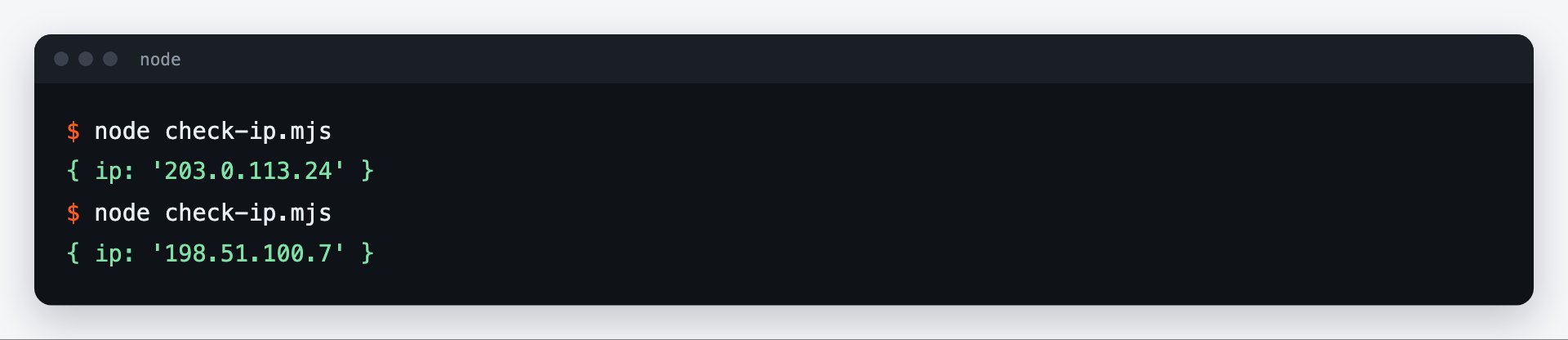
Step 4. Built-in fetch in Node.js 18 and later
The built-in fetch ignores the agent option. For it, install undici (npm i undici) and pass a ProxyAgent in the dispatcher option.
import { ProxyAgent } from "undici";

const dispatcher = new ProxyAgent("http://USERNAME:PASSWORD@gw.prokso.com:823");
const res = await fetch("https://api.ipify.org?format=json", { dispatcher });
console.log(await res.json());
Step 5. Choose the port for the task
Port 823 gives a new IP per request; ports 10000–20000 keep the same address for up to 120 minutes. For SOCKS5 use the socks-proxy-agent package with port 824 or a sticky port.
Step 6. Check the output
Run the example: the script calls https://api.ipify.org and prints the IP the website sees. It should be the proxy's address, not yours. A 407 error means a wrong username or password. The My IP page in your browser won't help here: the browser goes direct.
Timeout and retries
fetch has no timeout by default: a hung request will wait forever. Set a limit through AbortSignal.timeout() and retry only temporary failures:
import fetch from "node-fetch";
import { HttpsProxyAgent } from "https-proxy-agent";

const agent = new HttpsProxyAgent("http://USERNAME:PASSWORD@gw.prokso.com:823");

async function get(url, tries = 3) {
  for (let i = 1; i <= tries; i++) {
    try {
      const res = await fetch(url, { agent, signal: AbortSignal.timeout(30000) });
      if (![502, 503, 504].includes(res.status)) return res;   // retry only temporary failures
    } catch (e) {
      if (i === tries) throw e;
    }
    await new Promise((r) => setTimeout(r, 1000 * i));          // growing pause
  }
  throw new Error("no response after retries");
}

console.log(await (await get("https://prokso.com/ip")).text());
On port 823 every retry goes out from a new IP. Codes 403 and 429 are not worth retrying right away: they are the site's response, not a connection failure.
One agent for all requests
Create the agent once and pass it to all requests. The agent keeps open connections to the proxy, and repeat requests go faster. A new agent for every request means a new connection and an extra delay.
What the errors mean
- Status 407. The proxy did not accept the username or password, or the plan has run out of traffic.
- ECONNREFUSED. There is a typo in the proxy host or port.
- AbortError or TimeoutError. Your own timeout fired: the site did not respond in time.
- The request went out from your own IP. You are using the built-in
fetch, and it does not read theagentoption: you need adispatcherfrom undici.
More about the response codes is on the proxy error codes page.
FAQ
Why does the built-in fetch ignore the proxy?
The built-in fetch in Node.js runs on the undici library and does not read the agent option. Its proxy is set through dispatcher, as in the ProxyAgent example.
Can I set a proxy for all requests at once?
Yes: undici has setGlobalDispatcher — pass it a ProxyAgent at the start of the program and the built-in fetch goes through the proxy with no extra options.
Which should I choose: node-fetch or the built-in fetch?
In new projects on Node.js 18 and later, the built-in fetch with undici is enough. node-fetch makes sense if it is already used in the project.
How do I encode a password with special characters?
Wrap the username and password in <code>encodeURIComponent()</code> when you build the proxy address.