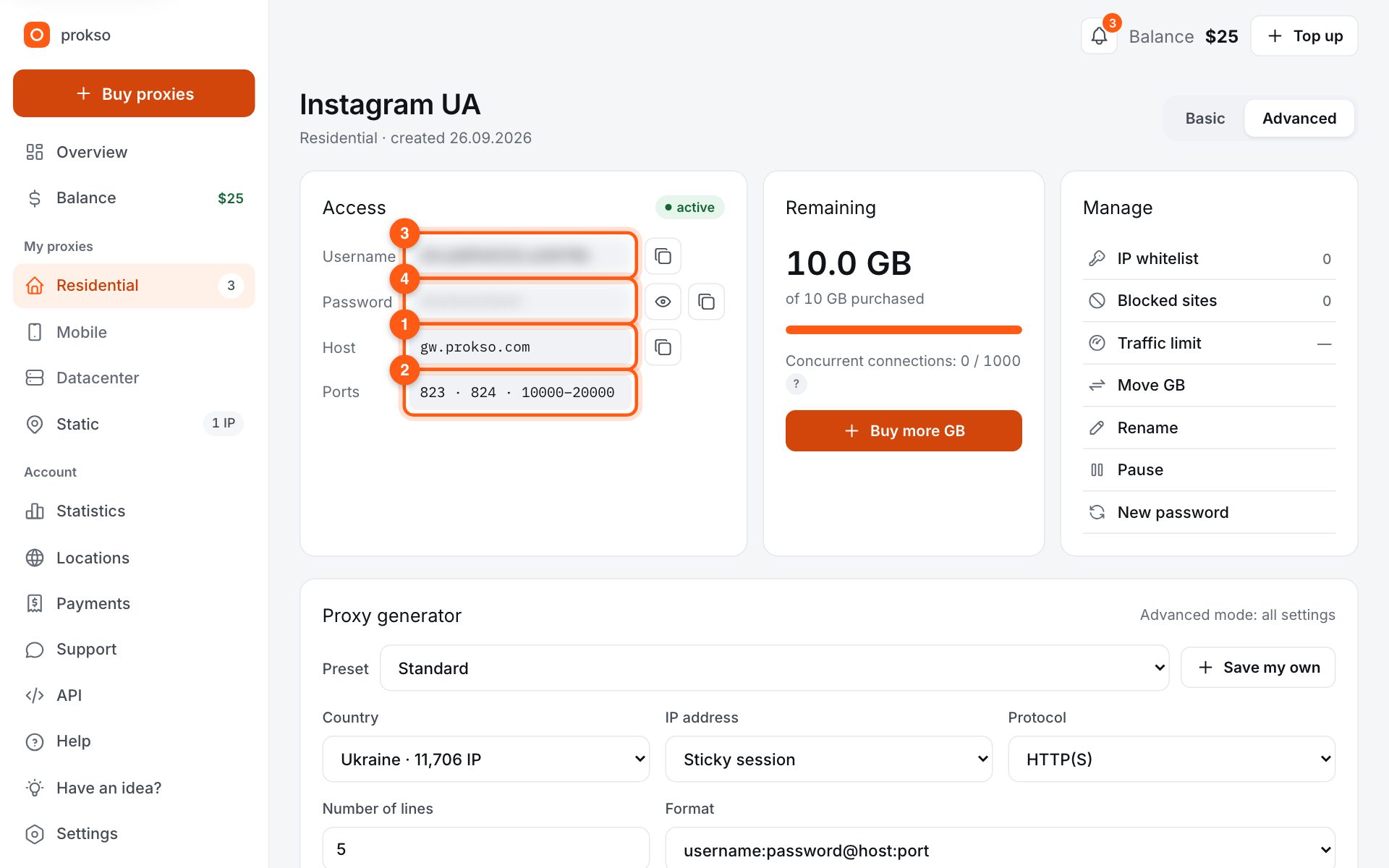
- Host
- gw.prokso.com
- Port
- 823 HTTP · 824 SOCKS5 — new IP per request · 10000–20000 sticky session, HTTP(S) and SOCKS5
- Username and password
- in your dashboard, on the plan page
Your dashboard generates ready-made lines in the format you need: choose the country, IP type and protocol.
- Host gw.prokso.com, ports 823 (HTTP), 824 (SOCKS5), 10000–20000 (sticky sessions, HTTP or SOCKS5)
- The username and password are in your dashboard on the plan page
- Check the IP in the response of the proxied request itself: the My IP page in a browser does not test your script
A step-by-step guide to connecting Prokso proxies in aiohttp. It takes a few minutes.
Step 1. Get the proxy details from your dashboard
Open your plan and copy the host gw.prokso.com, port, username and password. Port 823 is HTTP and 824 is SOCKS5 (both give a new IP for every request); ports 10000–20000 keep one IP (sticky session) for up to 120 minutes and work as both HTTP and SOCKS5 (each port is a separate address). Set the country in the username: username__cr.ua.
Step 2. Install the library
pip install aiohttp. For SOCKS5 you also need pip install aiohttp-socks.
Step 3. Pass the proxy to the request
aiohttp accepts an HTTP proxy in the proxy parameter of each request. Put the username and password straight into the URL.
import asyncio
import aiohttp

PROXY = "http://USERNAME:PASSWORD@gw.prokso.com:823"


async def main():
    async with aiohttp.ClientSession() as session:
        async with session.get("https://api.ipify.org?format=json", proxy=PROXY) as r:
            print(await r.json())


asyncio.run(main())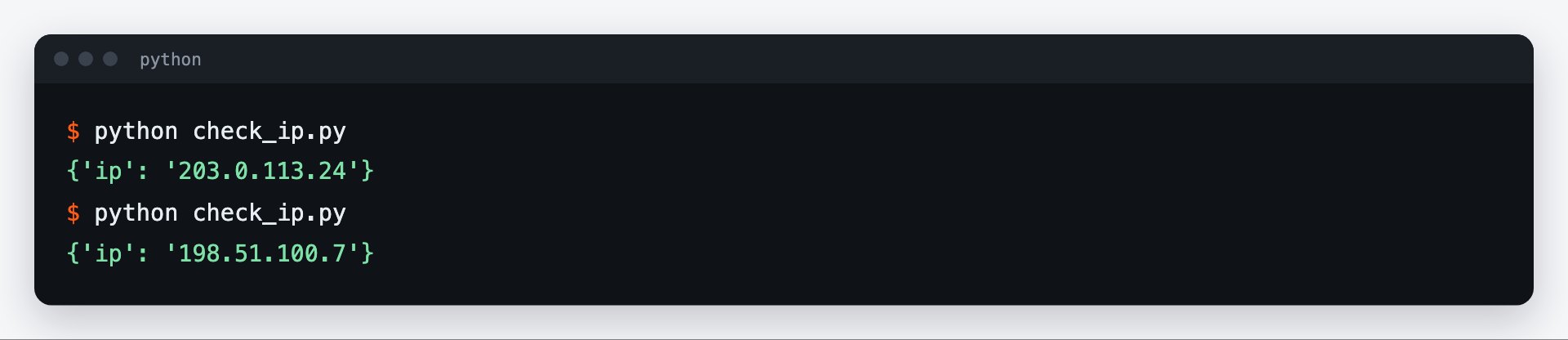
Step 4. SOCKS5 with aiohttp-socks
aiohttp itself does not support SOCKS. Create a ProxyConnector from the aiohttp-socks package and pass it to the session — then every request in the session goes through SOCKS5.
import asyncio
import aiohttp
from aiohttp_socks import ProxyConnector


async def main():
    connector = ProxyConnector.from_url("socks5://USERNAME:PASSWORD@gw.prokso.com:824")
    async with aiohttp.ClientSession(connector=connector) as session:
        async with session.get("https://api.ipify.org?format=json") as r:
            print(await r.json())


asyncio.run(main())
Step 5. Many requests at once
For parallel data collection use port 823 (or 824 for SOCKS5): every request gets a new address. To keep one IP for a series of requests, use a sticky port 10000–20000.
Step 6. Check the output
Run the example: the script calls https://api.ipify.org and prints the IP the website sees. It should be the proxy's address, not yours. A 407 error means a wrong username or password. The My IP page in your browser won't help here: the browser goes direct.
Limiting concurrency and timeouts
aiohttp can easily start thousands of requests at once, and that is exactly what most often leads to 429 errors and timeouts. Limit the number of simultaneous requests with a semaphore and set an overall timeout for the session:
import asyncio
import aiohttp

PROXY = "http://USERNAME:PASSWORD@gw.prokso.com:823"
URLS = ["https://prokso.com/ip"] * 20


async def fetch(session, sem, url):
    async with sem:                                   # no more than 10 requests at once
        async with session.get(url, proxy=PROXY) as r:
            return r.status, await r.text()


async def main():
    sem = asyncio.Semaphore(10)
    timeout = aiohttp.ClientTimeout(total=30)
    async with aiohttp.ClientSession(timeout=timeout) as session:
        results = await asyncio.gather(*(fetch(session, sem, u) for u in URLS), return_exceptions=True)
    print(results)


asyncio.run(main())
return_exceptions=True keeps one failed request from cancelling the rest: the errors come back in the list of results, and you can retry them separately.
What the errors mean
- ClientHttpProxyError, status 407. The proxy did not accept the username or password, or the traffic has run out.
- ClientProxyConnectionError. Could not connect to the proxy: check the host and port.
- asyncio.TimeoutError. The request did not fit within the timeout. Retry it or increase the limit.
- ServerDisconnectedError. The connection dropped. A retry and lower concurrency usually help.
Codes 403 and 429 come from the site: what to do about them is described on the 429 error page.
One IP for a group of requests
Every request on port 823 goes out from a new IP. If several requests have to come from one address - a login, then the account pages - use a sticky port and a separate session for them: that way the cookies and the IP stay consistent.
FAQ
Does aiohttp read the proxy from environment variables?
Only if you create the session with <code>trust_env=True</code> — then it reads HTTP_PROXY and HTTPS_PROXY. Passing the proxy explicitly, as in the example, is more reliable.
How many concurrent requests can I run?
A plan allows up to 1,000 concurrent connections. Limit concurrency in your code (with a semaphore, for example) so you stay within the limit and don't overload the target site.
Can I set the proxy once for the whole session?
In current versions of aiohttp the session itself also accepts the <code>proxy</code> parameter. In older versions you have to pass it in every request.
How do I encode special characters in the password?
Pass the username and password through <code>urllib.parse.quote(..., safe="")</code> or pass them separately through <code>proxy_auth=aiohttp.BasicAuth(...)</code>.